Category: Uncategorized

  • Nectar AI Alternatives: Apps Worth Exploring Right Now

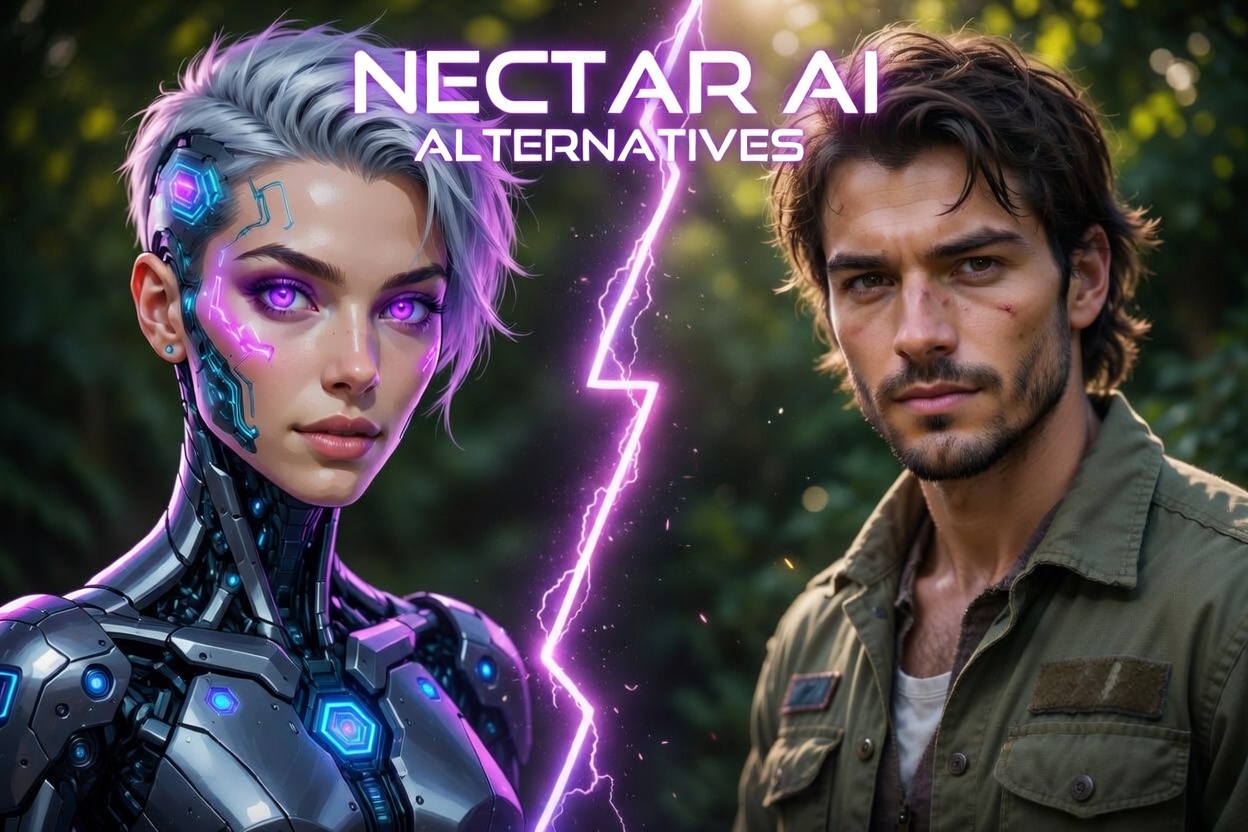
    Nectar AI Alternatives: Apps Worth Exploring Right Now

    Not everyone sticks with the first AI companion app they try, and honestly, that’s kind of the point. Tools like Nectar AI opened the door, but the space has grown fast, and now there’s a whole mix of platforms offering slightly different experiences, tones, and levels of personalization.

    Some lean more into emotional connection, others into customization or visual storytelling, and a few go all-in on uncensored, anything-goes interaction. The result? You’re not really choosing a single “best” option, you’re looking at a landscape of apps that each bring their own flavor.

    Below is a curated list of Nectar AI alternatives that are getting attention right now, each with its own angle, strengths, and quirks.
    1. Cherrypop.ai

    We created Cherrypop.ai with the idea of giving people more control over how their AI companion looks, behaves, and evolves over time. For users exploring Nectar AI alternatives, it tends to stand out because of how flexible the setup is – you can build characters from scratch or jump into ones already created by others. Some come for simple conversation, others lean into more structured roleplay, and both approaches can exist side by side without much friction.

    At the same time, we designed the experience to feel ongoing rather than one-off. Conversations are meant to evolve, with characters adjusting based on how people interact with them. Alongside chat, we included tools for generating visuals and browsing different character styles, so the platform isn’t limited to just messaging. It ends up being a mix of chat, character creation, and an open library of personalities that users can move between naturally.

    Key Highlights:

    • Character creation with adjustable appearance and personality traits
    • Option to explore a wide range of pre-made characters
    • Conversations that adapt over time based on interaction
    • Support for both casual chat and roleplay-style interactions
    • Image and content generation tied to created characters
    • Private environment with user-controlled interaction settings

    Who It’s Best For:

    • People browsing Nectar AI alternatives with a focus on interaction style and control
    • People who want to experiment with different AI personalities, not just one
    • Users interested in combining chat with visual character creation
    • Those who prefer fewer restrictions in how conversations unfold

    Contact Information:

    2. DreamGF.ai

    DreamGF.ai comes up often in conversations around Nectar AI alternatives, mostly because it focuses on a mix of chat and visual interaction in one place. The platform is built around creating a custom AI companion by selecting appearance, personality traits, and different behavioral tones. It leans into roleplay-style conversations, with options that range from casual chat to more suggestive interactions depending on how the user sets things up.

    There’s also a clear emphasis on generated content beyond text. Users can request images, receive voice messages, and continue conversations over time with characters that follow a chosen personality. The structure feels guided at first – step-by-step creation – but opens up into a more open-ended chat experience once the character is set.

    Key Highlights:

    • Step-by-step AI character creation flow
    • Personality and appearance customization
    • Chat and roleplay-focused interaction
    • Image generation and voice message support
    • Daily message system with streak-based limits
    • Free entry with optional paid features

    Who It’s Best For:

    • People exploring Nectar AI alternatives with built-in image generation
    • Users who want a structured setup when creating characters
    • Those interested in mixing chat with visual content
    • Anyone who prefers guided onboarding before chatting

    Contact Information:

    • Website: dreamgf.ai
    • App Store: apps.apple.com/us/app/dreamgf-my-ai-friend/id6503708349
    • Google Play: play.google.com/store/apps/details?id=com.mavtao.girlfriend.ai
    • Email: [email protected]
    • Facebook: www.facebook.com/dreamgfai
    • Twitter: x.com/dreamgf_ai
    • Instagram: www.instagram.com/dreamgf_ai
    • Address: Bucuresti Sectorul 1, Strada C. C. Arion, Nr. 11, parter, cam. 3, bir. 4a, Ap. 1, Bucharest, Romania

    3. HeraHaven

    HeraHaven sits in the same general space as Nectar AI alternatives, but its approach feels more focused on quick setup and immediate interaction. The platform centers around creating an AI companion with a few clicks, adjusting visual traits and personality details without much friction. It doesn’t take long to go from idea to an active chat.

    The experience leans into variety. There’s a wide range of pre-made characters to explore, and users can also shape their own version depending on mood or preference. Conversations evolve as interactions continue, and there’s a steady mix of text and generated images that keeps things moving without needing much setup or tweaking.

    Key Highlights:

    • Fast character creation with simple controls
    • Mix of pre-made and custom AI companions
    • Image sharing within chats
    • Ongoing conversations that adapt over time
    • Multiple character types and styles

    Who It’s Best For:

    • People browsing Nectar AI alternatives with quick setup
    • Users who don’t want to spend much time configuring details
    • Those who like switching between different characters
    • Anyone looking for a more straightforward chat experience

    Contact Information:

    • Website: herahaven.com
    • Email: [email protected]
    • Facebook: www.facebook.com/herahavenai
    • Twitter: x.com/herahavenai
    • Instagram: www.instagram.com/herahavenai
    • Address: 61 Agiou Pavlou, Nicosia 1107, Cyprus

    4. ourdream.ai

    ourdream.ai is usually mentioned among Nectar AI alternatives for its focus on open-ended roleplay and fewer restrictions in how conversations unfold. The platform is structured as a creative space where users can define characters in detail – from personality and appearance to communication style – and then build ongoing interactions from there.

    It also extends beyond basic chat. There’s support for image and video generation, along with voice-based interaction, which adds another layer to how characters are experienced. The system keeps track of past conversations, so interactions tend to feel continuous, especially for users who return to the same character over time.

    Key Highlights:

    • Detailed character customization including personality and voice
    • Roleplay-focused environment with fewer limitations
    • Memory system that tracks past conversations
    • Image and video generation features
    • Voice interaction support
    • Encrypted and private chat system

    Who It’s Best For:

    • People looking at Nectar AI alternatives with fewer content limits
    • Users interested in long-form roleplay scenarios
    • Those who want multimedia interaction beyond text
    • Anyone who values memory and continuity in conversations

    Contact Information:

    • Website: ourdream.ai
    • App Store: apps.apple.com/us/app/our-dream-ai-girlfriend/id6741436954
    • Twitter: x.com/ourdreamai

    5. GirlfriendGPT.me

    GirlfriendGPT.me takes a slightly different angle within the Nectar AI alternatives space, focusing more on conversational depth and memory. The platform offers a large set of pre-made personalities, each designed to behave differently over time, depending on how the interaction develops.

    One of the core ideas here is continuity. Conversations are not treated as isolated sessions – the system remembers preferences, past topics, and tone. While customization is available, the emphasis is more on how the AI responds and adapts rather than how it looks.

    Key Highlights:

    • Large library of pre-built personalities
    • Memory system that tracks conversations and preferences
    • Personality-driven chat experience
    • Option to customize characters
    • Private and secure messaging environment

    Who It’s Best For:

    • People exploring Nectar AI alternatives focused on conversation quality
    • Users who value memory and continuity in chats
    • Those less focused on visuals and more on dialogue
    • Anyone who prefers personality-driven interaction

    Contact Information:

    • Website: girlfriendgpt.me

    6. JuicyChat.ai

    JuicyChat.ai stands out among Nectar AI alternatives due to how heavily it leans into community-created characters and open tagging systems. The platform feels closer to a content hub, where users can browse, filter, and jump into different scenarios based on themes, categories, or specific interests.

    The structure is less about building a single companion and more about exploring a wide range of interactions. Characters come with predefined setups, and users can switch between them freely. There’s also support for creating custom characters, though the main appeal is the volume and variety already available.

    Key Highlights:

    • Large library of community-created characters
    • Tag-based browsing across themes and categories
    • Scenario-driven chat interactions
    • Option to create custom characters
    • Image-related features integrated into chats
    • Moderation rules for restricted content

    Who It’s Best For:

    • People checking Nectar AI alternatives with large content libraries
    • Users who prefer exploring pre-made scenarios
    • Those who like switching between different chat setups
    • Anyone interested in community-driven platforms 

    Contact Information:

    • Website: www.juicychat.ai
    • Twitter: x.com/JuicychatAI
    • Address: 56 Central Business Centre, Triq is-Soll, Santa Venera, SVR 1833, Malta

    7. Candy.ai

    Candy.ai appears in many Nectar AI alternatives lists because it combines several interaction formats in one platform. It supports text chat, voice, image generation, and even video-based elements, which makes the experience feel less limited to one type of interaction.

    Character creation is fairly detailed, covering both visual and personality aspects. Over time, conversations adapt based on user input, and the platform encourages ongoing interaction rather than one-off chats. It also offers a mix of pre-made and custom characters, giving users different entry points.

    Key Highlights:

    • Multi-format interaction including chat, voice, images, and video
    • Detailed character customization options
    • Memory system for ongoing conversations
    • Mix of pre-made and custom characters
    • Token-based usage system
    • Secure and private environment

    Who It’s Best For:

    • People exploring Nectar AI alternatives with multiple interaction formats
    • Users interested in combining chat with voice or visuals
    • Those who want both ready-made and custom characters
    • Anyone looking for a more layered interaction setup 

    Contact Information:

    • Website: candy.ai
    • Facebook: www.facebook.com/trycandyai
    • Twitter: x.com/trycandyai
    • Instagram: www.instagram.com/trycandyai
    • Address: 56 Central Business Centre, Triq Is-Soll, Santa Venera, SVR 1833, Malta

    8. Replika

    Replika is often mentioned when discussing Nectar AI alternatives, though it approaches the idea of AI companionship from a different angle. The focus here is less on roleplay or visual customization and more on conversation, emotional support, and long-term interaction.

    The app builds around a single AI companion that evolves through ongoing chats. It remembers details, adapts to the user’s communication style, and introduces features like journaling, coaching prompts, and even AR or video interactions. The tone is generally more grounded compared to other platforms in this space.

    Key Highlights:

    • Strong focus on conversational interaction
    • Memory system that evolves over time
    • Features like journaling, coaching, and AR interaction
    • Voice and video call support
    • Available on mobile and VR platforms
    • Emphasis on privacy and user data protection

    Who It’s Best For:

    • People looking at Nectar AI alternatives with a focus on conversation
    • Users interested in long-term interaction with one companion
    • Those who prefer a less roleplay-heavy environment
    • Anyone curious about AI as a daily conversational presence

    Contact Information:

    • Website: replika.com
    • App Store: apps.apple.com/us/app/replika-ai-friend/id1158555867
    • Google Play: play.google.com/store/apps/details?id=ai.replika.app
    • Facebook: www.facebook.com/groups/replikabeta

    9. MyAnima.ai

    MyAnima.ai is usually grouped with Nectar AI alternatives that lean toward companionship and casual conversation. The platform focuses on building a single AI friend that adapts over time, picking up on user preferences, mood, and communication style.

    It supports different interaction tones, from light and playful to more personal conversations, depending on how the user engages. Customization is present but not overly complex, and the experience is designed to feel ongoing, with the AI remembering past exchanges and adjusting its responses accordingly.

    Key Highlights:

    • AI companion that adapts to user mood and behavior
    • Memory system for ongoing conversations
    • Customizable personality and interaction style
    • Support for casual chat and light roleplay
    • Available on mobile and web
    • Focus on private, judgment-free interaction

    Who It’s Best For:

    • People exploring Nectar AI alternatives with a simpler setup
    • Users interested in casual, ongoing conversations
    • Those who prefer a single evolving companion
    • Anyone looking for a more relaxed interaction style

    Contact Information:

    • Website: myanima.ai
    • App Store: apps.apple.com/US/app/id1537239242
    • Google Play: play.google.com/store/apps/details?id=anima.virtual.ai.robot.friend
    • Email: [email protected]

    10. Nomi.ai

    Nomi.ai is often brought up when people look beyond Nectar AI alternatives and want something that leans more into conversation depth and memory. The platform centers on building ongoing relationships with AI companions that develop over time, picking up details, habits, and preferences through regular interaction. It supports different types of connections, from casual chats to more structured roleplay or even group conversations with multiple characters.

    A noticeable part of the experience is how much weight is placed on continuity. Conversations are not treated as separate sessions, and characters tend to evolve in tone and personality the longer they are used. There are also extra layers like voice chats, image sharing, and proactive messaging, which makes the interaction feel less static and more ongoing.

    Key Highlights:

    • Strong memory system across short and long-term chats
    • Support for multiple AI companions and group chats
    • Voice interaction and messaging features
    • Character personality development over time
    • Image sharing and contextual selfies
    • Private and anonymized conversations

    Who It’s Best For:

    • People exploring Nectar AI alternatives focused on long-term interaction
    • Users who want AI companions that remember details over time
    • Those interested in multi-character conversations
    • Anyone who prefers evolving dialogue over static responses 

    Contact Information:

    • Website: nomi.ai
    • App Store: apps.apple.com/us/app/nomi-ai-companion-with-a-soul/id6450270929
    • Google Play: play.google.com/store/apps/details?id=ai.nomi.twa
    • Email: [email protected]
    • Address: 901 South Bond Street #204, Baltimore, MD 21231 – USA
    • Phone: 1-866-624-6664

    11. RomanticAI

    RomanticAI shows up in Nectar AI alternatives discussions for users who want more control over how a companion looks and communicates from the start. The platform allows building characters from scratch by adjusting appearance, emotional tone, and conversation style, including both realistic and anime visuals.

    The setup feels flexible, with options to fine-tune how the character responds in different situations. Over time, the system adapts to user input, shaping conversations based on previous interactions. There is also support for image generation and different interaction tones, depending on how the character is configured.

    Key Highlights:

    • Custom character creation with visual and personality controls
    • Support for realistic and anime-style companions
    • Adaptive conversation based on interaction history
    • Image generation within chats
    • Adjustable emotional tone and behavior
    • Private chat environment

    Who It’s Best For:

    • People browsing Nectar AI alternatives with detailed customization
    • Users who want control over both visuals and behavior
    • Those interested in anime and realistic styles
    • Anyone looking for adjustable interaction tone 

    Contact Information:

    • Website: romanticai.com
    • Email: [email protected]
    • App Store: apps.apple.com/us/app/romantic-ai-girlfriend-chat/id1604044764
    • Google Play: play.google.com/store/apps/details?id=com.romanticai.romanticai

    12. Kupid.ai

    Kupid.ai appears in the Nectar AI alternatives space as a platform focused on combining chat with visual and voice elements. It offers a set of pre-made characters alongside the ability to create custom companions with specific traits and personalities.

    The interaction is built around ongoing conversations where the AI adjusts based on user preferences. Along with text chat, the platform includes voice messages and image generation, which adds another layer to how characters are experienced over time.

    Key Highlights:

    • Custom AI companion creation with personality traits
    • Library of pre-made characters
    • Voice message support
    • Image generation features
    • Memory-based conversation flow
    • Continuous interaction system

    Who It’s Best For:

    • People exploring Nectar AI alternatives with voice interaction
    • Users who want both ready-made and custom characters
    • Those interested in combining chat with visuals
    • Anyone looking for adaptive conversation 

    Contact Information:

    • Website: www.kupid.ai

    13. Soulkyn

    Soulkyn comes up in Nectar AI alternatives mainly for its focus on open-ended roleplay and a large library of characters. The platform revolves around “Kyns” – AI companions with different personalities, backstories, and interaction styles that users can explore or customize.

    It also supports a mix of chat, voice interaction, and generated visuals. Users can create their own characters, adjust them over time, and even edit previous interactions. The structure feels closer to a sandbox, where the experience depends on how much the user wants to experiment.

    Key Highlights:

    • Large library of AI characters with varied personalities
    • Custom character creation and editing tools
    • Voice chat and image generation
    • Roleplay-focused interaction system
    • Ability to modify characters and chats over time
    • Public and private character sharing

    Who It’s Best For:

    • People looking at Nectar AI alternatives with roleplay focus
    • Users who want flexible character editing
    • Those interested in community-created content
    • Anyone who prefers a sandbox-style experience 

    Contact Information:

    • Website: soulkyn.com
    • Twitter: x.com/SoulkynAI
    • Instagram: www.instagram.com/SoulkynAI

    14. GoLoveAI

    GoLoveAI is often mentioned among Nectar AI alternatives for its mix of chat, live-style interaction, and character browsing. The platform includes both pre-made characters and tools for creating custom companions with defined traits and personalities.

    It also introduces features like voice calls and live interaction modes, which shift the experience beyond simple messaging. Conversations still adapt over time, but the platform leans into a more dynamic setup where users can switch between different formats of interaction.

    Key Highlights:

    • Custom AI character creation
    • Library of pre-made characters
    • Voice call and live interaction features
    • Image-based interaction elements
    • Ongoing adaptive conversations
    • Multiple character styles and categories

    Who It’s Best For:

    • People exploring Nectar AI alternatives with voice and live features
    • Users who want more than text-based interaction
    • Those who like switching between different interaction formats
    • Anyone interested in combining chat with real-time elements 

    Contact Information:

    • Website: goloveai.com

    15. Couple.me

    Couple.me is usually included in Nectar AI alternatives for its focus on simple character creation and ongoing chat. The platform allows users to build a companion by selecting traits, appearance, and personality, then move directly into conversation.

    There is also support for image generation and memory-based interaction, so conversations continue to evolve over time. The overall structure feels straightforward, without too many layers or complex systems, which makes it easier to get started quickly.

    Key Highlights:

    • Simple AI character creation flow
    • Personality and appearance customization
    • Memory-based conversation system
    • Image generation within chats
    • Ongoing interaction without reset
    • Private chat environment

    Who It’s Best For:

    • People browsing Nectar AI alternatives with simple setup
    • Users who want quick access to chat features
    • Those who prefer a more straightforward interface
    • Anyone looking for a balance of chat and visuals 

    Contact Information:

    • Website: couple.me
    • Email: [email protected]
    • Address: 37 Panton Street, Piccadilly Circus, London, SW1Y 4EA
    • Phone: +1 (302) 261-9484

    16. CrushOn.ai

    CrushOn.ai is part of the Nectar AI alternatives landscape mostly because of its focus on open and less restricted conversations. The platform supports character creation and interaction across different styles, with an emphasis on flexibility in how chats develop.

    It also includes community-driven elements like rankings, shared characters, and ongoing updates. Users can explore existing characters or create their own, depending on how much control they want over the experience.

    Key Highlights:

    • Open-ended chat environment with fewer restrictions
    • Custom character creation
    • Community-driven character library
    • Ranking and discovery system
    • Ongoing platform updates
    • Private interaction settings

    Who It’s Best For:

    • People exploring Nectar AI alternatives with fewer limits
    • Users who prefer open-ended conversations
    • Those interested in community-based content
    • Anyone looking for flexible interaction styles

    Contact Information:

    • Website: crushon.ai
    • Email: [email protected]
    • Twitter: x.com/CrushonAI
    • Address: 77 Strovolou, Strovolos Center, Flat/Office 301, Strovolos, 2018, Nicosia, Cyprus

    17. SpicyChat.ai

    SpicyChat.ai shows up in Nectar AI alternatives as a platform built around large-scale character discovery and tagging. It offers access to a wide range of user-created characters, scenarios, and themes that can be filtered through detailed tags.

    The structure is heavily based on browsing and jumping into conversations quickly. Users can create their own characters or explore existing ones, and the experience is shaped more by variety than by building a single long-term companion.

    Key Highlights:

    • Extensive library of user-created characters
    • Tag-based search and filtering system
    • Scenario-driven chat interactions
    • Character creation tools
    • Support for group and multi-character chats
    • Uncensored chat environment

    Who It’s Best For:

    • People checking Nectar AI alternatives with large content libraries
    • Users who prefer exploring many scenarios
    • Those who like quick access to different chat setups
    • Anyone interested in tag-based discovery

    Contact Information:

    • Website: spicychat.ai
    • Twitter: x.com/SpicyChatAI
    • Address: 4388 Saint-Denis, Suite 200, Montreal, Quebec, H2J2L1, Canada

    18. PepHop.ai

    PepHop.ai is part of Nectar AI alternatives mainly as a browsing-focused platform where users can explore different AI characters across categories like anime, games, and general chat companions. It leans into discovery, with various tags and sections to navigate through available personalities.

    The platform allows interaction with different types of characters without requiring deep setup. While customization exists, the core experience is about exploring and engaging with existing characters across different styles and themes.

    Key Highlights:

    • Category-based character browsing
    • Variety of character types including anime and game styles
    • Tag system for discovery
    • Chat-based interaction
    • Community and moderation policies
    • Web-based access

    Who It’s Best For:

    • People exploring Nectar AI alternatives focused on browsing
    • Users who prefer ready-made characters
    • Those interested in different themed categories
    • Anyone looking for a simple entry into AI chat 

    Contact Information:

    • Website: pephop.ai
    • Email: [email protected]
    • Facebook: www.facebook.com/61550198811802
    • Twitter: x.com/PepHopAI
    • Instagram: www.instagram.com/pephopsocial

    Conclusion

    Looking through Nectar AI alternatives, one thing becomes pretty clear – there isn’t a single direction these tools are going. Some platforms lean into long-term conversation and memory, others focus on visuals or roleplay, and a few are more about browsing and jumping between different characters depending on mood. It’s less about replacing one app with another and more about finding the kind of experience that actually fits how someone wants to interact.

    What stands out across all of them is how different the pacing and feel can be. A platform built around one evolving companion feels very different from one built like a library of scenarios. And that difference matters more than small features on paper.

    So instead of looking for a direct substitute, it makes more sense to treat these as variations of the same idea. Each one shifts the balance between control, creativity, and interaction in its own way. The list above is really just a snapshot of what’s out there right now – and the space is still moving fast, so what feels right today might not be the same a few months from now.


  • Infatuated AI Alternatives for Chat and Roleplay

    Infatuated AI Alternatives for Chat and Roleplay

    Some platforms grab attention right away. The characters feel alive, the dialogue moves fast, and everything seems open. Then, over time, it changes. Replies start sounding familiar. Conversations circle back to the same beats. The energy isn’t gone, but it’s not as sharp as it was in the beginning. That’s usually when the search for something new starts.

    There’s no single perfect swap for Infatuated AI. What’s out there is a mix of different approaches. Some platforms lean into detailed customization. Others keep things looser and less restricted. A few experiment with tone or structure in ways that feel different enough to reset the experience. It really comes down to what feels missing – more depth, more freedom, or just something that doesn’t follow the same rhythm every time.

    1. Cherrypop AI

    Cherrypop AI is a character-focused platform built around exploring ready-made personalities or creating new ones from scratch. We designed it so conversations can begin without complicated setup. Users select a character or build one, adjust core traits, and move directly into chat. The structure stays straightforward, without layered configuration that interrupts the flow.

    Personality, tone, and visual style are defined during character creation, while the AI engine determines how responses evolve during dialogue. Conversations are not locked into rigid story paths. Instead of enforcing predefined arcs, the system remains flexible so interaction can develop naturally within the selected character framework.

    Key Highlights:

    • Ready-made and custom character creation
    • Personality and appearance adjustments
    • Less restricted conversation modes
    • Chat combined with image generation tools
    • Simple and direct onboarding

    Who It’s Best For:

    • Users who want flexible character-based interaction
    • Those who prefer fewer narrative constraints
    • People interested in customizing AI personalities
    • Anyone exploring open-ended chat platforms

    Contact Information:

    2. Secrets AI

    Secrets AI is easy to get into. You open the site and there are already pre-built companions waiting, each with a clear personality and tone. There’s no heavy configuration required at the start, but the more advanced features and stronger memory performance are tied to premium plans.

    Conversations are designed to feel ongoing rather than short bursts. The platform uses an advanced memory system, so interactions can build over time, especially with full access enabled. Alongside chat, there’s also image and video generation integrated into the experience.

    Key Highlights:

    • Literally zero setup – just start chatting
    • Long, continuous conversations
    • Pretty open with fewer restrictions
    • Feels like private messaging

    Who It’s Best For:

    • People who like ongoing chats
    • Those who don’t want to configure characters
    • Users who want quick access
    • Anyone who prefers consistency over variety

    Contact Information:

    • Website: www.secrets.ai
    • E-mail: [email protected]
    • Instagram: www.instagram.com/getsecrets
    • Address: 8 The Green Ste D, Dover, DE 19901, United States

    3. Luvr AI

    Luvr AI doesn’t throw you into a completely empty chat. It usually kicks things off with a little scenario – like a first meeting, a chill hangout, or some small context that sets the mood. That tiny bit of setup makes a big difference. Suddenly the conversation already has some direction instead of starting from total zero.

    After the first few messages, it can go in different directions. Sometimes it sticks close to the original vibe, other times it loosens up and gets more casual. It’s not super strict roleplay, but it’s not totally open-ended either. Browsing the characters feels more like choosing a situation to step into rather than just picking a personality and winging it.

    Key Highlights:

    • Starts with a little scenario for context
    • Lots of different character setups
    • Nice mix of light roleplay and regular chat
    • Super quick to get started

    Who It’s Best For:

    • People who like conversations with context
    • Those into light roleplay
    • Users who don’t want a fully blank chat

    Contact Information:

    • Website: www.luvr.ai
    • App Store: apps.apple.com/us/app/luvr-ai-create-ai-scenarios/id6743984525
    • E-mail: [email protected]
    • Address: 8 The Green, Ste B, Dover, DE, 19901
    • Phone: +1 (201) 589 0113

    4. Kupid AI

    Kupid AI actually makes you put in a bit of work at the beginning. Instead of just picking someone and diving in, you get to shape the character’s personality, looks, and overall vibe first. It takes a few extra minutes upfront, but that’s kinda the appeal – the chat ends up feeling like your creation.

    Once you’re done setting everything up, the conversations feel pretty solid and consistent. The replies build on what you’ve said before, and there’s good continuity. They’ve got some image and voice features too, but they don’t overwhelm the chat. It mostly stays focused on one ongoing conversation instead of juggling a bunch of different characters.

    Key Highlights:

    • Really detailed character customization
    • Responses feel true to the personality you built
    • Includes images and voice elements
    • One-on-one focused
    • Strong conversation memory and continuity

    Who It’s Best For:

    • Users who like control during setup
    • Those interested in longer chats
    • People who prefer sticking with one character
    • Anyone wanting a more defined interaction

    Contact Information:

    • Website: www.kupid.ai

    5. VirtualGF

    VirtualGF keeps things straightforward. Characters already come with roles or backstories, so there’s context from the first message. No long builder, no complicated steps – just pick and start.

    Customization exists, but it doesn’t dominate the experience. Conversations adjust gradually while staying true to the selected character’s tone. It feels stable and easy to follow, without layered systems or switching modes mid-chat.

    Key Highlights:

    • Predefined character roles and backstories
    • Optional customization
    • Instant access to chat
    • Consistent conversation flow
    • Private messaging format

    Who It’s Best For:

    • Users who prefer simple selection
    • Those who don’t want deep setup
    • People who like predictable interaction

    Contact Information:

    • Website: www.virtualgf.chat
    • E-mail: [email protected]
    • Address: Voukourestiou, 25 Neptune House, 1st Floor, Flat/Office 11 Zakaki, 3045, Limassol, Cyprus

    6. DreamGF

    DreamGF doesn’t push you straight into a blank chat window. First, there’s a step-by-step build process. You pick how the character looks, how they act, what kind of personality they carry. It takes a little more focus at the start, especially compared to platforms where you just click and go. But that extra setup gives the interaction a clearer direction later on.

    Once everything’s set, the vibe shifts into roleplay territory. Text is still the core, but images and voice elements can slide into the conversation. Even when the dialogue feels open, that original character blueprint quietly shapes how things unfold. It never fully disappears.

    Key Highlights:

    • Step-by-step character creation
    • Personality and appearance customization
    • Roleplay-focused interaction
    • Structured start before conversation

    Who It’s Best For:

    • People who like building characters in detail
    • Those interested in roleplay-style chat
    • Users who don’t mind setup first

    Contact Information:

    • Website: www.dreamgf.ai
    • Facebook: www.facebook.com/dreamgfai
    • Twitter: x.com/dreamgf_ai
    • Instagram: www.instagram.com/dreamgf_ai
    • Address: Bucuresti Sectorul 1, Strada C. C. ARION, Nr. 11, parter, cam. 3, bir. 4a, Ap. 1, Bucharest, Romania

    7. MyBabes AI

    MyBabes AI leans heavily into long-term interaction, but more specifically into consistency and narrative depth. It’s not just about picking traits and jumping in. The platform focuses on keeping a character stable across chat, images, and video, so identity doesn’t shift randomly.

    It also moves beyond plain text pretty quickly. Ultra-HD image and video generation sit alongside chat, and all of it connects back to the same character setup. Conversations tend to develop into deeper, ongoing roleplay rather than short exchanges.

    Key Highlights:

    • Detailed character creation
    • Strong identity consistency
    • Chat, image, voice, and video support
    • Memory-based conversation flow
    • Community character library

    Who It’s Best For:

    • Users who want deeper control
    • Those interested in longer chats
    • People exploring multiple formats
    • Anyone focused on character stability

    Contact Information:

    • Website: mybabes.ai
    • Address: 451/6, Troja, Prague 8, 182 00 Prague, Czech republic

    8. Candy AI

    Candy AI keeps entry simple. Characters are already there, ready to talk. You can tweak them if needed, but it’s not required. Open a profile and start chatting. No heavy intro scenes or scripted setups pushing things in one direction.

    Text sits at the center, but voice replies, images, and video are built into the same thread. Memory helps the conversation evolve instead of resetting each time. The structure stays steady, but the tone can shift depending on what’s said and which formats are used.

    Key Highlights:

    • Pre-built characters
    • Optional customization
    • Memory-based replies
    • No onboarding steps

    Who It’s Best For:

    • Users who want more than text
    • Those curious about mixed media chat
    • People who prefer ready-made characters

    Contact Information:

    • Website: candy.ai
    • Facebook: www.facebook.com/trycandyai
    • Twitter: x.com/trycandyai
    • Instagram: www.instagram.com/trycandyai

    9. CrushOn AI

    CrushOn AI feels more like a library than a single companion app. Everything is organized through tags and themes. Instead of building one character from scratch, browsing becomes the starting point. You move through categories, pick a setup, and jump in.

    Most conversations open with a defined premise. That starting situation shapes the first few messages. After that, things can expand, but the initial framing still sets the tone. It’s built for variety and switching between experiences, not necessarily for one long continuous storyline.

    Key Highlights:

    • Large tag-based character library
    • Scenario-driven interaction
    • Wide range of themes
    • Fast access through browsing
    • More open dialogue style

    Who It’s Best For:

    • Users who like variety
    • Those interested in scenario-based chat
    • People who prefer browsing over building

    Contact Information:

    • Website: crushon.ai
    • E-mail: [email protected]
    • Twitter: x.com/CrushonAI
    • Address: 77 Strovolou, Strovolos Center, Flat/Office 301, Strovolos, 2018, Nicosia, Cyprus

    10. Janitor AI

    Janitor AI sits closer to open creation and community-driven content. There aren’t strict scenarios guiding the conversation. Most of the structure comes from how each character is written and set up. People create them, share them, tweak them. The platform feels more like a space to explore than a guided experience.

    Because of that, interaction can change a lot from one persona to another. Some chats feel structured, others completely open-ended. There isn’t one consistent format across the platform. It’s less predictable, but that flexibility is part of the appeal.

    Key Highlights:

    • Community-created characters
    • Open-ended interaction
    • No fixed scenario system
    • Flexible behavior styles
    • Large content variety

    Who It’s Best For:

    • Users who want full freedom
    • Those interested in community content
    • People who prefer open conversations
    • Anyone experimenting with different character setups

    Contact Information:

    • Website: janitorai.com
    • App Store: apps.apple.com/us/app/janitor-ai-official-app/id6692609366
    • Google Play: play.google.com/store/apps/details?id=com.janitor.ai
    • E-mail: [email protected]

    11. JuicyChat AI

    JuicyChat AI is mostly about browsing. It opens into a large library of characters, all sorted by tags and themes. So instead of building something from scratch, it’s easier to scroll around, pick a setup, and jump straight into it.

    Most characters come with a built-in scenario. That means the first messages already have some direction. It rarely feels like starting from zero. Images and character photos are part of the same flow, and the platform puts a lot of emphasis on private, encrypted chats.

    Key Highlights:

    • Scenario-based roleplay
    • Image and photo generation
    • Encrypted private chats

    Who It’s Best For:

    • Those interested in clear roleplay setups
    • People who want quick entry into chat
    • Anyone looking for variety

    Contact Information:

    • Website: www.juicychat.ai
    • E-mail: [email protected]
    • Twitter: x.com/JuicychatAI
    • Address: 56 Central Business Centre, Triq IS- SOLL, Santa Venera, SVR 1833, Malta

    12. HeraHaven

    HeraHaven starts with building the character first. You choose appearance, traits, small details – nothing too complicated, but it does take a bit of attention before chatting. After that, everything revolves around that one setup.

    Images, especially selfie-style ones, match the character you created, so things stay visually consistent. The platform doesn’t push big public libraries. It feels more focused on one-on-one interaction. Chat stays central, and changes happen slowly as the conversation continues.

    Key Highlights:

    • Character builder with appearance and traits
    • Chat with adaptive responses
    • Personalized images and selfies
    • Private conversation space
    • Simple setup

    Who It’s Best For:

    • Users who want to build a companion directly
    • Those interested in one-on-one chat
    • People who prefer structured setup
    • Anyone focused on visuals

    Contact Information:

    • Website: herahaven.com
    • E-mail: [email protected]
    • Facebook: www.facebook.com/herahavenai
    • Twitter: x.com/herahavenai
    • Instagram: www.instagram.com/herahavenai
    • Address: 61 Agiou Pavlou, Nicosia 1107, Cyprus

    13. Lovescape

    Lovescape mixes chat with image and video generation in one place. You can shape how the character looks and behaves, from realistic to more stylized. Memory is part of the system, so conversations don’t reset every time.

    Voice messages, images, and short videos appear inside the same chat. It doesn’t feel like switching tools. Everything stays in one flow. Over time, the interaction becomes a mix of text and media rather than just plain conversation.

    Key Highlights:

    • Memory across conversations
    • Voice messaging
    • Image and short video generation
    • Open chat structure

    Who It’s Best For:

    • Users who want text, voice, and visuals together
    • Those who value continuity
    • People creating media inside chat

    Contact Information:

    • Website: lovescape.com
    • E-mail: [email protected]
    • Twitter: x.com/lovescapeai
    • Address: Warmtech Ltd, Spyrou Kyprianou 75, Flat/Office 102, Potamos Germasogeias, 4042, Limassol, Cyprus

    14. Kindroid

    Kindroid is built around long-term interaction. It doesn’t treat chats as separate sessions. Memory layers keep track of past conversations, preferences, and details, so replies start to reflect what’s already happened.

    There’s also more control over personality. Backstories can be written or generated, which shapes how the character behaves. Voice calls, video, and selfies all stay tied to the same identity. Group chat adds another angle, letting multiple characters interact in one space.

    Key Highlights:

    • Multi-layer memory system
    • Custom personality and backstory
    • Voice and video calls
    • Consistent character visuals
    • Group chat support

    Who It’s Best For:

    • Users who want ongoing conversations
    • Those interested in personality control
    • People exploring voice and video features

    Contact Information:

    • Website: kindroid.ai
    • App Store: apps.apple.com/us/app/kindroid-your-personal-ai/id6451038161
    • Google Play: play.google.com/store/apps/details?id=com.kindroid.app

    15. Nomi AI

    Nomi AI is built around conversations that grow over time instead of resetting every session. Memory isn’t just one layer. It’s split into short, medium, and long-term, which means small details from earlier chats can show up again later. That alone changes the feel. It starts to feel more continuous, less like separate fragments.

    Personality isn’t locked in from the start either. It shifts based on how things unfold. Voice chat, group conversations, and selfie-style images add some variety without turning it into something complicated. You can run multiple characters at once, and each keeps its own traits. They don’t blend together, which keeps things clear.

    Key Highlights:

    • Multi-layer memory system
    • Personality shaped through dialogue
    • Voice chat and calls
    • Selfies and image interaction
    • Multiple characters and group chats

    Who It’s Best For:

    • Users who like conversations that evolve
    • Those who don’t want rigid personalities
    • People managing more than one character

    Contact Information:

    • Website: nomi.ai
    • App Store: apps.apple.com/us/app/nomi-ai-companion-with-a-soul/id6450270929
    • Google Play: play.google.com/store/apps/details?id=ai.nomi.twa
    • E-mail: [email protected]
    • Address: 901 South Bond Street #204, Baltimore, MD 21231 – USA
    • Phone: 1-866-624-6664

    16. LustGF

    LustGF keeps things fast. Setup is short. Pick appearance, adjust a few traits, maybe set some preferences, and that’s it. Chat starts right away. No long configuration screens.

    The interaction stays direct. Text and audio are the main formats, with visual generation connected to the same character. There aren’t deep memory systems or layered mechanics behind it. It’s straightforward. Privacy is also emphasized, with chats staying inside the platform.

    Key Highlights:

    • Quick character setup
    • Text and audio chat
    • Visual content generation
    • Unfiltered interaction
    • Encrypted private messaging

    Who It’s Best For:

    • Users who want speed over complexity
    • Those focused on direct chat
    • People who like audio along with text
    • Anyone avoiding heavy setup

    Contact Information:

    17. OurDream AI

    OurDream AI leans more toward open roleplay. Characters can be customized in detail – personality, appearance, even voice. Once inside, everything happens in the same space. Text, images, video, voice. It doesn’t separate those tools.

    Memory carries across sessions, so conversations don’t fully reset. There’s also a public library of characters and scenarios. Some interactions stay simple. Others introduce structured formats or progression. It feels like a mix between personal chat and shared creative space.

    Key Highlights:

    • Full character customization
    • Memory across sessions
    • Public character library
    • Encrypted private conversations

    Who It’s Best For:

    • Users who like open-ended roleplay
    • Those mixing chat with visuals
    • People exploring community characters
    • Anyone wanting fewer narrative limits

    Contact Information:

    • Website: ourdream.ai
    • Twitter: x.com/ourdreamai

    18. Nastia AI

    Nastia AI keeps conversation at the center, but it doesn’t stop there. It combines uncensored chat and roleplay with a strong image and video generation system, along with voice messages and group chats. These features work together rather than sitting in the background, shaping how interaction unfolds instead of just supporting it.

    Over time, dialogue can stretch into longer roleplay arcs, with tone shifting naturally as things develop. Group chats allow multiple AI characters in one thread without making the system feel overloaded. Even with all the features, it avoids heavy mechanics or game-like layers. The focus stays on interaction, just with more ways to express it.

    Key Highlights:

    • One-on-one AI chat
    • Voice messaging
    • Image and video generation
    • Support for longer roleplay
    • Multi-character group chats
    • Private and anonymous setup

    Who It’s Best For:

    • Users who value conversation depth
    • Those exploring roleplay
    • People who want media inside chat
    • Anyone preferring private interaction
    • Users who avoid complex systems

    Contact Information:

    • Website: www.nastia.ai
    • Twitter: x.com/nastia_ai
    • Address: 11 res les primevères, 97320 France

    19. FantasyGF

    FantasyGF is built around direct interaction with a custom companion. You choose appearance, set a few traits, and start chatting almost immediately. It doesn’t slow things down with complex setup.

    Chat stays at the center, but images, video, and voice are part of the same flow. Memory helps keep things consistent, so responses reflect earlier conversations. There’s also a public side where different characters can be explored, but the main focus stays on one-on-one interaction.

    Key Highlights:

    • Custom AI companion creation
    • Uncensored chat
    • Memory-based responses
    • Encrypted private chats

    Who It’s Best For:

    • Users looking for direct interaction
    • Those interested in visual content
    • People who prefer simple chat systems

    Contact Information:

    • Website: fantasygf.com
    • E-mail: [email protected]
    • Twitter: x.com/fantasygf_
    • Address: Municipiul Oradea, Strada PLEVNEI, Nr. 12, Ap. 6, Judet Bihor, Romania

    20. SpicyChat

    SpicyChat feels more like a catalog than a single app. It’s built around a large library of user-created characters, all sorted by tags, themes, and dynamics. Instead of building one character, you usually pick a scenario and start from there.

    The tone is mostly free-form. There’s no heavy system behind it, no progression layers. Some setups are simple, others more experimental. It ends up working like a searchable roleplay space where switching between ideas is part of the experience.

    Key Highlights:

    • Large tag-based character library
    • User-created and shareable characters
    • Uncensored roleplay
    • Scenario-based interaction
    • Search by themes and dynamics
    • Web access

    Who It’s Best For:

    • Users who prefer browsing over building
    • Those exploring different dynamics
    • People interested in open roleplay
    • Anyone switching between scenarios

    Contact Information:

    • Website: spicychat.ai
    • Twitter: x.com/SpicyChatAI

    21. Couple Me

    Couple Me keeps things focused on one companion. You pick appearance, adjust personality, and start chatting. The setup is quick, nothing complicated.

    Interaction stays one-on-one. It doesn’t jump between different characters. Memory helps carry conversations forward, so replies feel connected. There’s also image generation inside chat, including custom selfies, which keeps everything tied to the same character.

    Key Highlights:

    • AI companion creation
    • Personality and appearance setup
    • Memory-based chat
    • Image and selfie generation
    • One-on-one interaction
    • Web-based access

    Who It’s Best For:

    • Users who want one main companion
    • Those who prefer guided setup
    • People interested in romantic-style chat
    • Anyone who wants visuals in chat
    • Users who like a structured experience

    Contact Information:

    • Website: couple.me
    • E-mail: [email protected]
    • Address: 37 Panton Street Piccadilly Circus London, SW1Y 4EA
    • Phone: +1 (302) 261-9484

    22. NSFW AI

    NSFW AI leans into open character chat with fewer restrictions. It’s possible to create a character from a short description or just pick one that already exists. The setup is simple, and interaction starts quickly without much configuration.

    Chat is text-based, with hentai-style image generation built into the same flow. The platform positions itself as less filtered than typical AI tools, which shapes how conversations play out. It doesn’t try to build complex systems around storytelling – it stays focused on direct interaction and customization.

    Key Highlights:

    • Custom character creation
    • Unfiltered chat
    • Hentai-style image generation
    • Multilingual support
    • Mobile app access
    • Community and affiliate features

    Who It’s Best For:

    • Users who want fewer restrictions
    • Those interested in hentai visuals
    • People who want quick setup
    • Anyone exploring adult AI chat

    Contact Information:

    • Website: nsfwcharacter.ai
    • App Store: apps.apple.com/us/app/mycrush-hot-chat/id6748018655
    • E-mail: [email protected]
    • Twitter: x.com/NSFWc_ai

    23. aiAllure

    aiAllure is built around creating one consistent AI companion rather than jumping between multiple characters. Appearance and personality are set at the beginning, and that identity stays stable across chats, images, and video. The idea is continuity – one character, one presence, carried through everything instead of constantly resetting or switching tones.

    On paid plans, the platform includes unlimited image generation and V5 video creation, along with deeper memory features. Those memory layers vary depending on the subscription tier, so the experience can feel very different between free and premium access.

    Key Highlights:

    • One consistent companion
    • Stable visual identity
    • Voice and video features
    • Private environment

    Who It’s Best For:

    • Users who want visual consistency
    • Those mixing chat with media
    • People who prefer one character

    Contact Information:

    • Website: www.aiallure.com
    • E-mail: [email protected]
    • Twitter: x.com/ai_allure
    • Address: Rybná 716/24, CZ-110 00 Praha 1

    24. Nextpart AI

    Nextpart AI starts with ready-made setups, but it doesn’t stop there. You can pick a character or scenario and jump in quickly, or customize one to better match a specific tone or direction. Most interactions begin with a clear context, which gives conversations an immediate starting point instead of a blank slate.

    The platform combines uncensored chat and roleplay with built-in features like instant image generation based on chat context, voice responses and synthesis, and multilingual support. These aren’t side options – they’re part of the core experience and shape how interactions unfold.

    Key Highlights:

    • Predefined characters and scenarios
    • Quick start
    • Story generation tool
    • Text chat with optional media
    • Multilingual support
    • Community browsing

    Who It’s Best For:

    • Users who prefer ready setups
    • Those who want fast roleplay entry
    • People switching between characters
    • Anyone looking for simple tools

    Contact Information:

    Conclusion

    The landscape around Infatuated AI alternatives is broader than it first appears. Some platforms focus on deep customization and long-form interaction, while others lean toward quick scenarios, visual content, or community-driven character libraries. The differences are subtle but noticeable once you spend time exploring them – tone, memory, flexibility, and the way conversations evolve all shape the overall experience.

    There isn’t a single replacement that fits everyone. What matters more is how each platform approaches interaction and creative freedom. Some feel more personal, others more experimental, and a few simply offer a different pace. Trying a few options usually reveals which style feels natural and which ones fade into the background. In the end, the right choice tends to be less about features and more about how comfortably the experience fits into everyday use.

  • Best Promptchan AI Alternatives Ranked

    Best Promptchan AI Alternatives Ranked

    Some platforms hook attention with one feature, then after a while things start to feel a bit… narrow. Promptchan AI often lands there – interesting at the beginning, especially on the image side, but not always as flexible once expectations shift.

    There’s a broader mix of tools now, and they don’t all aim at the same thing. Some go deeper into image control, others lean into characters, interaction, or fewer restrictions. At first the differences can feel small, but after spending some time with them, each one starts to reveal its own direction. Not better or worse, just built around slightly different habits and use cases.

    1. Cherrypop AI

    Cherrypop AI is built around interactive AI characters rather than simple prompt outputs. We approach the experience as something ongoing, not a one-time generation. Personalities, tone, and behavior can be adjusted before conversations begin, and the interaction continues to develop based on how each character is shaped. The focus stays on dialogue and roleplay instead of isolated visual results.

    Inside the platform, character setup, chat, and generation tools exist within the same environment. We keep the structure flexible, with lighter content filtering compared to more restricted systems. As conversations move forward, the AI adapts to defined traits and previously established context, maintaining consistency with the chosen personality style.

    Key Highlights:

    • Character-driven AI interaction
    • Adjustable personality traits and tone
    • Support for unfiltered chat modes
    • Roleplay-oriented structure
    • Private conversation setting

    Who It’s Best For:

    • Users who prefer interactive chat over static outputs
    • Those interested in roleplay-style AI experiences
    • People looking for fewer content limits
    • Users who want customizable AI personalities

    Contact Information:

    2. CrushOn AI

    CrushOn AI feels pretty open from the start. It’s built around browsing different characters and jumping into whatever scenario catches attention. There’s no strong structure guiding how conversations should unfold, so most of the direction comes from the interaction itself.

    What really stands out is the uncensored, no-filter approach and the size of the community character library. Characters can behave very differently depending on how they were created. There is memory, but it’s more limited on free plans and tends to reset more often, while stronger continuity is mostly available on premium tiers.

    Key Highlights:

    • Wide range of character types and scenarios
    • Support for unfiltered chat
    • Memory-based conversations
    • Open-ended roleplay structure
    • Character creation and discovery

    Who It’s Best For:

    • Users who prefer fewer restrictions
    • Those exploring different roleplay formats
    • People who want flexible conversations
    • Users interested in varied character setups

    Contact Information:

    • Website: crushon.ai
    • E-mail: [email protected]
    • Twitter: x.com/CrushonAI
    • Address: 77 Strovolou, Strovolos Center, Flat/Office 301, Strovolos, 2018, Nicosia, Cyprus

    3. HeraHaven

    HeraHaven takes a more guided route. It starts with building a character – choosing appearance, traits, small details – before any real interaction begins. The setup is simple enough, without too many switches or hidden menus.

    After that, everything moves into a familiar chat format. The system adapts over time, picking up on patterns and adjusting responses, but the structure itself stays predictable. Compared to more open-ended platforms, this one feels a bit more contained, with clearer edges around how things work.

    Key Highlights:

    • Character setup with adjustable traits
    • Chat-based interaction
    • Adaptive responses over time
    • Image sharing within conversations
    • Simple interface structure

    Who It’s Best For:

    • Users who want a straightforward setup
    • Those looking for guided interaction
    • People who prefer simpler tools
    • Users combining chat with visuals

    Contact Information:

    • Website: herahaven.com
    • E-mail: [email protected]
    • Facebook: www.facebook.com/herahavenai
    • Twitter: x.com/herahavenai
    • Instagram: www.instagram.com/herahavenai
    • Address: 61 Agiou Pavlou, Nicosia 1107, Cyprus

    4. Seduced AI

    Seduced AI moves more toward generation than conversation. It’s built around prompt-based creation, where visuals are shaped through its own structured system rather than dialogue. At the core is an 8-layer extension mixing system that lets different elements like body type, pose, clothing, and specific traits be combined into one result.

    There’s also flexibility in how outputs are reused. Characters can appear again in new generations, and edits can be made without starting from zero each time. It ends up feeling less like interacting with a personality and more like working inside a focused creative tool.

    Key Highlights:

    • Prompt-based image and video generation
    • Extension system for combining elements
    • Reusable characters across outputs
    • Editing tools for adjustments
    • Support for different visual styles

    Who It’s Best For:

    • Users focused on content generation
    • Those who prefer structured control
    • People combining multiple visual elements
    • Users working with repeatable characters

    Contact Information:

    • Website: www.seduced.com
    • E-mail: [email protected]
    • Twitter: x.com/SeducedAI
    • Instagram: www.instagram.com/seduced.ai

    5. Candy AI

    Candy AI leans into ongoing interaction rather than quick, isolated chats. It brings together text, voice replies, image generation, and short video elements, all tied to one character. That character is shaped upfront – appearance, personality, behavior – through a structured setup with clear options.

    Once the conversation starts, it doesn’t just reset every time. Past exchanges influence what happens next, and tone shifts gradually as interaction continues. The system feels guided, not chaotic, so even as things evolve, there’s still a clear framework underneath it.

    Key Highlights:

    • Chat, voice, image, and video features
    • Custom character builder
    • Memory across conversations
    • Structured interaction flow
    • Multiple subscription options

    Who It’s Best For:

    • Users wanting multimedia interaction
    • Those building personalized companions
    • People preferring guided structure
    • Users interested in ongoing chats

    Contact Information:

    • Website: candy.ai
    • Facebook: www.facebook.com/trycandyai
    • Twitter: x.com/trycandyai
    • Instagram: www.instagram.com/trycandyai

    6. PornJoy AI

    PornJoy AI brings several features into one platform rather than separating them completely. It combines image generation, hentai-style content (including realistic, anime, and 3D styles), AI chat, and customization tools inside the same system.

    Most of the control happens before generation. Body types, styles, and backgrounds are selected first, then refined through prompts. Chat is included as an additional layer, where scenarios can be explored, though the main focus remains on creating visuals.

    Key Highlights:

    • Separate generators for images and hentai
    • Dedicated AI chat tool
    • Custom filters and body options
    • Prompt-based workflow
    • Multiple visual categories

    Who It’s Best For:

    • Users focused on image creation
    • Those exploring hentai content
    • People wanting modular tools
    • Users combining chat and visuals

    Contact Information:

    7. Undressly AI

    Undressly AI keeps things very direct. It’s built as a specialized nudification tool that takes clothed images and transforms them into nude or undressed versions using different AI models. Upload a photo, choose a model, and the system generates the result. No extra layers, no distractions.

    The flow doesn’t really change from one session to another, which makes it easy to get used to. There’s no chat or character system here, just a simple loop focused on this specific type of visual output. It’s narrow in scope, but clear in what it does.

    Key Highlights:

    • Upload-based image transformation
    • Multiple undress models
    • Simple three-step process
    • No chat functionality
    • Focused visual output

    Who It’s Best For:

    • Users wanting direct image editing
    • Those not needing chat features
    • People preferring simple tools
    • Users focused on fast results

    Contact Information:

    8. JuicyChat AI

    JuicyChat AI is built around character-based chat, with a lot of variety coming from tags and scenarios. Instead of staying in one direction, it encourages jumping between different themes, moods, and setups. Each character comes with a starting point, so conversations don’t begin from nothing.

    Interaction leans into roleplay. Characters stick to their assigned context, which gives chats a more story-like feel. There’s also support for image replies, adding a bit more depth to how things play out. It feels open, but still anchored by those predefined scenarios.

    Key Highlights:

    • Tag-based character discovery
    • Scenario-driven chat setup
    • Image reply support
    • Roleplay-focused interaction
    • Wide range of character themes

    Who It’s Best For:

    • Users exploring different scenarios
    • Those interested in roleplay chat
    • People switching between themes often
    • Users who prefer guided character setups

    Contact Information:

    • Website: www.juicychat.ai
    • E-mail: [email protected]
    • Twitter: x.com/JuicychatAI
    • Address: 56 Central Business Centre, Triq IS- SOLL, Santa Venera, SVR 1833, Malta

    9. Secrets AI

    Secrets AI leans into companion-style interaction, with a focus on conversations that continue over time. Characters come pre-built, but there’s room to adjust them, and chats are designed to evolve rather than reset.

    What stands out is the consistency. Conversations are meant to feel ongoing, with memory keeping track of context between sessions. Compared to more open or chaotic platforms, this one feels more controlled – fewer variables, but more stability in how characters respond.

    Key Highlights:

    • Pre-built and customizable characters
    • Memory across conversations
    • Continuous chat interaction
    • Private messaging environment
    • Focus on consistent responses

    Who It’s Best For:

    • Users looking for steady interaction
    • Those who prefer predictable behavior
    • People interested in companion-style chat
    • Users who value continuity in conversations

    Contact Information:

    • Website: www.secrets.ai
    • E-mail: [email protected]
    • Instagram: www.instagram.com/getsecrets
    • Address: 8 The Green Ste D, Dover, DE 19901, United States

    10. Kupid AI

    Kupid AI revolves around building companions with a focus on personality and overall feel. Characters can be adjusted before anything starts – traits, appearance, style – so there’s already a defined direction going in. There are also predefined personalities, which makes it easier to begin without setting everything up from scratch.

    The chat itself stays pretty straightforward. Conversations follow a familiar rhythm, with extras like images and voice messages layered on top. Compared to more experimental platforms, this one feels more stable and predictable, with a clearer structure from the start.

    Key Highlights:

    • Customizable character traits
    • Predefined personality options
    • Chat with image and voice elements
    • Simple interaction structure
    • Variety of character styles

    Who It’s Best For:

    • Users building personalized companions
    • Those who want a clear setup process
    • People preferring stable interaction
    • Users combining chat with media features

    Contact Information:

    • Website: www.kupid.ai

    11. PornWorks AI

    PornWorks AI focuses almost entirely on visual generation. Instead of conversation, everything runs through prompts that turn into images or videos. The process is direct – describe something, generate it, then adjust if needed.

    There are a few tools for refining results after the initial output. Templates, editing features, face adjustments, even upscaling – all part of the same flow. It feels more like a production tool than anything interactive, with no chat or character layer shaping the experience.

    Key Highlights:

    • Text-to-image generation
    • AI video creation
    • Template-based workflow
    • Editing and face tools
    • 4K upscaling support

    Who It’s Best For:

    • Users focused on visual content
    • Those not looking for chat features
    • People working directly with prompts
    • Users refining generated visuals

    Contact Information:

    • Website: pornworks.app
    • E-mail: [email protected] 
    • Address: Sofia Exotic Rentals Ltd 4 Kuzman Shapkarev street, 1000 Sofia
    • Phone: +35932540227

    12. DreamGF AI

    DreamGF AI is built around creating a companion and then interacting through chat. The process starts with choosing appearance and personality traits, then moves straight into conversation. The steps are clear, so it doesn’t take long to get from setup to actual interaction.

    Chat stays at the center, with extras like image requests and voice messages built in. The flow is pretty consistent – create, chat, unlock more features if needed. It doesn’t try to be overly complex, which makes the whole experience feel organized and easy to follow.

    Key Highlights:

    • Custom character builder
    • Chat-based interaction
    • Image generation in chat
    • Voice message feature
    • Bonus and referral programs

    Who It’s Best For:

    • Users wanting simple setup
    • Those combining chat and images
    • People exploring sexting-style chat
    • Users preferring clear structure

    Contact Information:

    • Website: www.dreamgf.ai
    • Facebook: www.facebook.com/dreamgfai
    • Twitter: x.com/dreamgf_ai
    • Instagram: www.instagram.com/dreamgf_ai
    • Address: Bucuresti Sectorul 1, Strada C. C. ARION, Nr. 11, parter, cam. 3, bir. 4a, Ap. 1, Bucharest, Romania

    13. OurDream AI

    OurDream AI leans into roleplay more than simple chat. It’s built around characters and scenarios that can evolve over time, with both predefined options and fully customizable companions. Conversations don’t just reset – memory carries context forward, so things develop rather than restart.

    There are also visual elements tied to the same characters. Images and videos connect back to ongoing scenarios, which makes interactions feel more layered. With community-created characters and larger setups, it shifts closer to storytelling than quick exchanges.

    Key Highlights:

    • Scenario-based roleplay
    • Customizable companions
    • Memory across sessions
    • Image and video generation
    • Community character library

    Who It’s Best For:

    • Users interested in long-form interaction
    • Those building ongoing storylines
    • People mixing chat with visuals
    • Users exploring complex roleplay setups

    Contact Information:

    • Website: ourdream.ai
    • Twitter: x.com/ourdreamai

    14. Kindroid

    Kindroid focuses on longer, ongoing interaction rather than quick chats. It uses a multi-layer memory system, with several levels working together to keep track of past conversations, preferences, and character details. Because of that, interactions feel more continuous, especially when personalities and backstories are clearly defined.

    It also goes beyond text. Voice messages and calls, video calls, and image generation are all part of the same environment. There’s even a group chat feature, where multiple Kindroids can interact in one space instead of just one-on-one.

    Key Highlights:

    • Multi-layer memory system
    • Custom backstories
    • Voice and video calls
    • Image generation
    • Group chat feature

    Who It’s Best For:

    • Users focused on long-term chats
    • Those building consistent characters
    • People exploring voice interaction
    • Users wanting multi-character setups

    Contact Information:

    • Website: kindroid.ai
    • App Store: apps.apple.com/us/app/kindroid-your-personal-ai/id6451038161
    • Google Play: play.google.com/store/apps/details?id=com.kindroid.app

    15. Lovescape

    Lovescape blends chat, visuals, and character building into one space. Conversations usually start with text, but they don’t always stay there. Images, voice notes, even short videos can enter the mix depending on how things unfold.

    Memory plays a noticeable role here. Chats aren’t treated like isolated sessions, which means past exchanges can subtly influence what happens next. It leans more toward ongoing scenarios than quick back-and-forth messages. Everything – text, visuals, voice – flows together instead of feeling like separate tools stitched on top.

    Key Highlights:

    • Chat with voice and media
    • Image and video generation
    • Character customization
    • Memory across sessions
    • Scenario-based interaction

    Who It’s Best For:

    • Users combining chat and visuals
    • Those exploring ongoing scenarios
    • People adjusting character traits
    • Users wanting multimodal interaction

    Contact Information:

    • Website: lovescape.com
    • E-mail: [email protected]
    • Twitter: x.com/lovescapeai
    • Address: Warmtech Ltd, Spyrou Kyprianou 75, Flat/Office 102, Potamos Germasogeias, 4042, Limassol, Cyprus

    16. Nastia AI

    Nastia AI puts conversation first, with a noticeable focus on tone and emotional pacing. Chats are designed to feel continuous rather than fragmented, with the option to move between casual dialogue and more structured roleplay without switching systems.

    At the same time, the platform combines uncensored chat and roleplay with a strong image and video generation system, along with voice messages. These features aren’t just add-ons. They are actively used alongside chat and shape how interactions develop.

    Key Highlights:

    • One-on-one and group chats
    • Roleplay support
    • Image and video generation
    • Voice messages
    • Private conversations

    Who It’s Best For:

    • Users focused on chat-first experience
    • Those mixing roleplay with conversation
    • People using voice features
    • Users exploring group interactions

    Contact Information:

    • Website: www.nastia.ai
    • Twitter: x.com/nastia_ai
    • Address: 11 res les primevères, 97320 France

    17. Nectar AI

    Nectar AI centers on building a companion through prompts, with a lot of control over personality and appearance. Characters can be shaped in detail, then dropped into chat or roleplay scenarios that shift depending on how the conversation moves.

    There’s also a visual layer connected to the same character. Generated images tie back to the setup, which keeps everything consistent. The experience sits somewhere between free conversation and structured roleplay – direction depends more on input and tone than on fixed scripts.

    Key Highlights:

    • Custom character creation
    • Personality and backstory setup
    • Memory across conversations
    • Image generation
    • Roleplay scenarios

    Who It’s Best For:

    • Users building detailed characters
    • Those focused on roleplay
    • People using prompts to guide interaction
    • Users combining chat and visuals

    Contact Information:

    • Website: trynectar.ai
    • E-mail: [email protected]
    • Twitter: x.com/TryNectarAI
    • Address: 167-169 Great Portland St, Fl 5 London England

    18. AI Girlfriends

    AI Girlfriends works as a general companion-style platform, combining chat, voice, and visuals in one place. Characters can be selected from preset options or built from scratch, with personality and appearance adjusted before the first message. Interaction isn’t limited to typing – voice messages and calls are part of the same system.

    Privacy and continuity also shape the experience. Conversations are stored, which helps maintain tone and context over time. It leans toward ongoing interaction rather than one-off prompts, with tools supporting both casual chats and more structured exchanges.

    Key Highlights:

    • Chat and voice interaction
    • Character customization
    • Image and video generation
    • Memory system
    • Private conversations

    Who It’s Best For:

    • Users mixing chat and voice
    • Those creating custom companions
    • People looking for ongoing interaction
    • Users exploring simple setups

    Contact Information:

    • Website: aigirlfriends.ai
    • E-mail: [email protected]
    • Instagram: www.instagram.com/aigirlfriends.ai
    • Address: 923 Willowbrook RD Staten Island, NY 10314

    19. Spicychat AI

    Spicychat AI feels more like a shared space than a structured tool. It’s built around a large pool of user-created characters and scenarios, so instead of building everything from scratch, it’s often easier to just browse and jump into something that’s already there. Tags and categories help narrow things down, but there’s still a lot of variety.

    Character creation is there, but the platform leans heavily on community content. Conversations can shift pretty quickly depending on the scenario, and most of them lean toward roleplay rather than structured dialogue. It ends up feeling more like a sandbox where different ideas can play out without too much setup.

    Key Highlights:

    • Large character library
    • Tag-based browsing
    • User-created scenarios
    • Custom character creation
    • Roleplay-focused chats

    Who It’s Best For:

    • Users exploring ready-made characters
    • Those browsing different scenarios
    • People focused on roleplay variety
    • Users preferring community content

    Contact Information:

    • Website: spicychat.ai
    • Twitter: x.com/SpicyChatAI

    20. PornWaifu AI

    PornWaifu AI is built around quick access. Instead of starting from an empty setup, it drops straight into a space full of characters, visuals, and ongoing activity. The entry point is usually visual – pick something, look through generated content, then move into chat if needed.

    There’s a mix of static and interactive elements. A feed shows what’s happening, while tools for images and short videos sit alongside it. It doesn’t really push toward building one long-term companion – it’s more about moving between different characters and formats depending on what feels interesting in the moment.

    Key Highlights:

    • Pre-built character library
    • AI chat functionality
    • Image generation
    • Video creation tools
    • Live user feed

    Who It’s Best For:

    • Users who prefer ready characters
    • Those focused on visual content
    • People switching between personas
    • Users exploring mixed formats

    Contact Information:

    • Website: pornwaifu.ai

    21. LusyChat AI

    LusyChat AI is structured around predefined scenarios. Characters are grouped by tags and themes, so most interactions start with a clear setup already in place. Instead of building personality from scratch, it’s more about choosing a direction and going from there.

    Browsing plays a big role. Categories shape how conversations begin, and chats tend to follow that tone. Image and video tools are built into the same system, so switching between chatting and generating content feels pretty seamless. It’s more guided than open-ended, but still flexible enough.

    Key Highlights:

    • Extensive tag filtering
    • Scenario-based characters
    • Custom character creation
    • Image generator
    • Video generator

    Who It’s Best For:

    • Users entering specific role scenarios
    • Those browsing categories first
    • People alternating between chat and visuals
    • Users preferring guided setups

    Contact Information:

    • Website: lusychat.ai
    • E-mail: [email protected]
    • Twitter: x.com/LusychatAI
    • Address: Villa Malitah The Village Triq II- Mediterran San Giljan STJ 1870, C 112969

    22. FantasyGF

    FantasyGF leans toward building one main companion and sticking with it over time. Character creation covers both personality and appearance, and that same setup carries across chat, images, and video. It feels more consistent compared to platforms where everything resets or changes constantly.

    Memory plays into that continuity. Conversations build on each other, so tone and responses shift based on what’s already happened. Instead of jumping between tools or characters, everything stays tied to one profile, which makes the experience feel more connected.

    Key Highlights:

    • Personalized character setup
    • Memory-driven chat
    • Image generation
    • Video generation
    • Voice interaction support

    Who It’s Best For:

    • Users building one main companion
    • Those interested in continuity
    • People combining chat and media
    • Users focused on personalization

    Contact Information:

    • Website: fantasygf.com
    • E-mail: [email protected]
    • Twitter: x.com/fantasygf_
    • Address: Municipiul Oradea, Strada PLEVNEI, Nr. 12, Ap. 6, Judet Bihor, Romania

    23. Girlfriendly AI

    Girlfriendly AI is organized more like a searchable library than a single companion system. Instead of creating one character, it’s about browsing through categories – different personalities, tones, styles – and jumping into conversations that already have a direction.

    There’s also a visual layer. Image generation and a shared gallery sit alongside chat, so it’s easy to move between talking and creating. It’s less about building deep long-term memory and more about exploring different setups within the same space.

    Key Highlights:

    • Preset character personas
    • Category-based discovery
    • AI chat functionality
    • Image generation
    • Community gallery access

    Who It’s Best For:

    • Users who prefer ready-made characters
    • Those browsing by themes
    • People switching between roleplay setups
    • Users combining chat and visuals

    Contact Information:

    24. Dreemy AI

    Dreemy AI feels more like a catalog of characters than a structured builder. Each entry comes with its own personality notes, scenario hooks, and tags, so it’s possible to jump straight into interaction without setting anything up first.

    The range is pretty wide, and switching between characters is quick. Some use it like a feed of story starters, others stick with longer roleplay sessions. Images and video are available too, but the main draw is the variety of conversations and how easy it is to move between them.

    Key Highlights:

    • Extensive bot library
    • Scenario-focused character design
    • Immediate chat access
    • Genre and tag filtering
    • AI image and video options

    Who It’s Best For:

    • Users exploring many story types
    • Those wanting minimal onboarding
    • People who prefer tag-based browsing
    • Users treating chat as interactive fiction

    Contact Information:

    • Website: www.dreemy.ai
    • Google Play: play.google.com/store/apps/details?id=com.chatai.dreamyai
    • E-mail: [email protected]

    25. SpicyGen

    SpicyGen moves away from chat entirely and focuses on animated output. It takes generated images and turns them into short video clips using prompt-based motion. The process is pretty direct, without any character interaction layered on top.

    Uploads are limited to AI-generated content, which shapes how the tool is used. There’s no memory, no dialogue, just a loop of transforming visuals. For anyone coming from chat-heavy platforms, the difference is noticeable right away – everything here is about motion and rendering, nothing else.

    Key Highlights:

    • AI image to video conversion
    • Prompt-controlled animation
    • Synthetic-only content policy
    • Credit-based generation
    • Downloadable video files

    Who It’s Best For:

    • Users focused on animated visuals
    • Those working with AI-generated images
    • People not looking for chat features
    • Users prioritizing video output over interaction

    Contact Information:

    Conclusion

    Taken together, these Promptchan AI alternatives show how differently the same idea can be built. Some focus on continuous character interaction with memory and tone shaping over time. Others stay centered on generation – images, animation, or single-purpose transformation tools. The structure behind each platform defines the rhythm of use, whether that means long chats or quick visual output.

    There isn’t one clear direction that fits everyone. The choice depends on what matters more in practice – depth of conversation, flexibility of roleplay, or control over generated content. Instead of one direct replacement, the space offers multiple formats, each built around a specific way people prefer to interact.

  • Pornx Alternatives That Feel a Bit Different

    Pornx Alternatives That Feel a Bit Different

    It often starts the same way. One site, a few tabs open, and after a while everything kind of blends together. Different thumbnails, same layout, same pacing. At some point it stops feeling like browsing and turns into something more automatic.

    That’s usually where alternatives start to make sense. Not because they’re “better” in any clear way, just different enough to shift the usual rhythm. Some lean into niche formats, others focus on community-driven content or longer sessions. A few change the whole setup entirely – how content appears, how it’s explored, even how interaction works. This list leans into that mix, where things don’t always follow the same pattern.

    1. Cherrypop AI

    Cherrypop AI is an interactive adult platform focused on character-based chats rather than passive video browsing. We built the experience around scenario-driven conversations with AI personalities that come with their own tone and background. The interaction is not fixed and can shift as the exchange develops, which helps reduce the repetition common on static sites.

    Customization works through built-in system tools where appearance, tone, traits, and conversational style can be configured. We rely on our AI model to generate dialogue dynamically instead of using pre-written scripts. As conversations continue, the system adapts to interaction patterns, so sessions feel more continuous rather than restarting each time.

    Key Highlights:

    • AI characters with defined personalities
    • Scenario-based chat interactions
    • System-driven character customization
    • Dialogue generated by our AI model
    • Optional unfiltered chat mode
    • Private conversation environment

    Who It’s Best For:

    • Those seeking interactive alternatives to video sites
    • People interested in roleplay formats
    • Users who prefer chat over passive viewing
    • Anyone wanting flexible character setup
    • Individuals who value private interactions

    Contact Information:

    2. OurDream AI

    OurDream AI leans more into roleplay than passive scrolling. Everything happens inside a conversation – characters, scenes, little shifts in tone – so it feels less like jumping between clips and more like staying inside one evolving setup. The direction isn’t fixed either, it moves depending on how interactions unfold.

    There’s quite a bit of control over characters. Appearance, personality, even how they communicate can be adjusted without digging too deep into settings. Conversations aren’t pre-written, so replies come out differently each time, and the built-in memory helps things feel continuous instead of restarting from scratch.

    Key Highlights:

    • Scenario-based roleplay environment
    • Detailed character customization tools
    • Memory-driven conversations
    • Fully unfiltered interactions 

    Who It’s Best For:

    • People interested in story-driven formats
    • Those looking for longer, evolving sessions
    • Anyone exploring customizable AI characters

    Contact Information:

    • Website: ourdream.ai
    • Twitter: x.com/ourdreamai

    3. Seduced

    Seduced is built as a content generation platform rather than an interactive one. It focuses on creating explicit images and short video clips directly from text prompts, with video length depending on the selected plan. The process is straightforward.

    The platform works more like a ready-made tool with its own models instead of a system built around extensions or manual combinations. Control comes from how prompts are written and how settings are adjusted, rather than mixing different external elements.

    Key Highlights:

    • AI image and video generation
    • Extension-based customization
    • Prompt-driven workflow
    • Character reuse across scenes

    Who It’s Best For:

    • Those who prefer creating content over browsing
    • Users experimenting with different visual setups
    • People interested in AI-generated scenes
    • Anyone looking for short-form outputs
    • Users who want more control over results

    Contact Information:

    • Website: www.seduced.com
    • E-mail: [email protected]
    • Twitter: x.com/SeducedAI
    • Instagram: www.instagram.com/seduced.ai

    4. PornJourney

    PornJourney doesn’t stick to one format. Instead, it pulls together a mix – images, short videos, chat-style interactions, and written scenarios – all in one place. It feels more like a toolkit than a single-purpose platform.

    The flow stays simple: generate something, adjust if needed, move on. It leans toward quick results rather than long sessions, which makes it easier to experiment without committing too much time. Visual customization is a big part of it, with plenty of styles and small details to play around with. Privacy is also built into the experience rather than added on top.

    Key Highlights:

    • Multiple formats in one platform
    • Image and video generation tools
    • Chat-style interactions and written scenarios

    Who It’s Best For:

    • People looking for quick results
    • Those who prefer simple generation tools
    • Anyone focused on visual experimentation

    Contact Information:

    • Website: pornjourney.com
    • E-mail: [email protected]
    • Twitter: x.com/pornjourneyAI
    • Instagram: www.instagram.com/pjourney.ai
    • Address: Suite 10 Capital House, 61 Amhurst Road, London, United Kingdom

    5. Candy AI

    Candy AI shifts the focus toward AI companions instead of static content. Interaction happens through chat, voice, images, and short videos, and the tone can change depending on how conversations go. It doesn’t feel locked into one pattern, which makes things a bit less predictable.

    Character setup plays a big role here. Appearance and personality can be adjusted in detail, along with communication style. There’s also a memory layer, so past conversations don’t just disappear – characters can reference earlier exchanges, which helps things feel more connected over time.

    Key Highlights:

    • AI companion-based interaction
    • Chat, voice, image, and video formats
    • Customizable character traits
    • Optional explicit interaction

    Who It’s Best For:

    • People who prefer conversation over browsing
    • Users exploring AI companion formats
    • Those looking for ongoing interaction

    Contact Information:

    • Website: candy.ai
    • Facebook: www.facebook.com/trycandyai
    • Twitter: x.com/trycandyai
    • Instagram: www.instagram.com/trycandyai

    6. SoulGen

    SoulGen is primarily a text-to-image generator, with strong support for NSFW content across both realistic and anime styles. The core experience revolves around creating visuals from prompts, where the system translates short descriptions into detailed images.

    Editing is handled through prompts as well. Elements can be added, removed, or extended without switching tools, which keeps the workflow simple. Features like outpainting and reference images help guide the result, especially when refining details or expanding scenes.

    Key Highlights:

    • Text-to-image generation
    • Prompt-based editing tools
    • Image extension and outpainting
    • Video generation support
    • Realistic and anime styles

    Who It’s Best For:

    • Users focused on image creation
    • People experimenting with prompt-based visuals
    • Those who prefer control over visual output
    • Anyone not interested in chat-style interaction

    Contact Information:

    • Website: www.soulgen.ai
    • E-mail: [email protected]
    • Facebook: www.facebook.com/soulgenai
    • Twitter: x.com/SoulGen_AI
    • Address: Flat/RM 1911 Lee Garden One 33 Hysan Avenue Causeway Bay HK

    7. PornWorks AI

    PornWorks AI is positioned as a free-tier friendly AI porn generator for both images and videos, including short clips through tools like Video and Flick. The workflow stays simple – enter a prompt, generate the result, and adjust it if needed.

    Features like 4K upscaling, templates, and editing tools are built into the process. The platform keeps things accessible, with a straightforward setup and even mobile access for generating content on the go.

    Key Highlights:

    • AI-generated images and videos
    • Built-in templates
    • Upscaling to higher resolution
    • Editing and refinement tools

    Who It’s Best For:

    • Users wanting fast visual generation
    • Those who prefer simple, direct tools
    • Anyone experimenting with AI video output

    Contact Information:

    • Website: pornworks.app
    • E-mail: [email protected] 
    • Address: Sofia Exotic Rentals Ltd 4 Kuzman Shapkarev street, 1000 Sofia
    • Phone: +35932540227

    8. Spicychat

    Spicychat keeps things centered around chat instead of anything passive. It feels a bit like scrolling through a library, but instead of videos, it’s characters and scenarios. Pick one, drop into a setup, and the rest plays out through conversation.

    Most of the structure comes from tags and community input. There’s a lot to sort through – different tones, situations, character types – and it’s easy to jump between them. Nothing is locked into a script, so conversations don’t really repeat themselves in the same way. Some sessions drift, others stay focused, depends on how it’s approached.

    Key Highlights:

    • Large library of AI chat characters
    • Tag-based discovery system
    • Scenario-driven conversations
    • Mix of user-created and preset bots

    Who It’s Best For:

    • People who want chat instead of video browsing
    • Users exploring different roleplay setups
    • Those who prefer variety in scenarios
    • Anyone looking for quick, flexible interaction

    Contact Information:

    • Website: spicychat.ai
    • Twitter: x.com/SpicyChatAI

    9. Pornify

    Pornify is built more around generating content than searching for it. The flow is simple – enter a prompt or pick a few tags, then let the system produce something from that. No need to scroll through existing material unless that’s part of the process.

    It’s not only visual either. There are chat elements and scenario tools mixed in, so it doesn’t stay limited to images or clips. Still, the main idea stays the same – create what’s needed, tweak it if something feels off, and move on. The whole setup avoids extra steps, which makes it easier to experiment without overthinking it.

    Key Highlights:

    • AI image and video generation
    • Prompt and tag-based workflow
    • Chat with AI characters
    • Scenario customization
    • Editing through simple inputs

    Who It’s Best For:

    • Users who prefer creating over browsing
    • People testing different visual ideas
    • Those interested in mixing chat and generation
    • Anyone looking for a straightforward setup

    Contact Information:

    • Website: pornify.cc
    • E-mail: [email protected]
    • Twitter: x.com/pornifycc
    • Address: 1 Anastasios Sioukri, 3105, Cyprus

    10. Sexy AI

    Sexy AI sits somewhere between a creation tool and a shared space. It’s not just about generating images, there’s also a community layer where different outputs, styles, and ideas are visible. That mix changes the rhythm a bit – sometimes it’s about making something, other times just looking through what’s already there.

    There’s a wide range of styles, from more realistic to heavily stylized. Editing tools are built in, so adjustments can happen after generation instead of starting over each time. It ends up feeling more like building a collection over time rather than just creating one-off results.

    Key Highlights:

    • AI image and video generation
    • Multiple visual styles and models
    • Community gallery and sharing
    • Editing and refinement tools
    • Collection and organization features

    Who It’s Best For:

    • People focused on visual output
    • Users exploring different styles
    • Those who like browsing community content
    • Anyone building a personal content library

    Contact Information:

    • Website: sexy.ai
    • E-mail: [email protected]
    • Address: 108 W 13th Street, Wilmington, DE 19801, USA
    • Phone: 954-634-2048

    11. Undressly AI

    Undressly AI sticks to a very specific task – transforming uploaded images. There’s no browsing or interaction layer, just a direct process: upload, choose a model, generate a result. It’s quick and doesn’t really try to be anything beyond that.

    Different models and presets change how the output looks, but overall it stays focused on visuals only. No storytelling, no conversation layer, just input and output. The platform also leans into anonymity, keeping the process simple without extra setup or steps.

    Key Highlights:

    • Image-based nude generation
    • Upload and transform workflow
    • Multiple AI models available
    • Fast output process
    • Focus on anonymity

    Who It’s Best For:

    • Users focused on quick image transformation
    • People not interested in chat or roleplay
    • Those looking for simple, single-purpose tools
    • Anyone experimenting with image-based AI

    Contact Information:

    12. PornJoy AI

    PornJoy AI mixes a few different formats instead of sticking to one. Image generation, chat, and stylized content all sit in the same space, so the experience can shift depending on what’s being used at the moment.

    Customization is a noticeable part of it. Things like body type, style, or setting can be adjusted before generating anything, which gives a bit more control upfront. Chat adds another angle, where scenarios play out through interaction rather than just visuals. It ends up feeling a bit mixed, not strictly one type of tool.

    Key Highlights:

    • Image generation with adjustable features
    • AI chat with character selection
    • Hentai and stylized content options
    • Prompt and preset-based workflow
    • Reusable character elements

    Who It’s Best For:

    • Users who want both chat and visuals
    • People switching between formats
    • Those exploring different styles
    • Anyone looking for flexible usage

    Contact Information:

    13. CreatePorn

    CreatePorn sits somewhere between a generator and a feed. Instead of starting from zero every time, there’s already a stream of images, short clips, and GIF-like content to scroll through. It feels closer to browsing first, then deciding what to tweak or recreate.

    The whole setup moves quickly. Categories and styles help narrow things down, but nothing feels too rigid. It’s easy to jump from viewing something into generating a variation of it, which makes the process a bit more fluid than tools that separate those steps completely.

    Key Highlights:

    • Mixed feed of generated content
    • Image, GIF, and short video formats
    • Category-based browsing
    • Built-in generation tools
    • Quick, scroll-style navigation

    Who It’s Best For:

    • Users who prefer browsing before creating
    • People interested in short-form content
    • Those looking for a mix of gallery and tools
    • Anyone wanting a faster, visual-first experience

    Contact Information:

    • Website: www.createporn.com
    • E-mail: [email protected]
    • Twitter: x.com/CreateAIArts
    • Phone: 1.888.596.9279

    14. Lovescape

    Lovescape blends a few things together – chat, images, video – all running inside the same loop. It leans more toward ongoing interaction, where conversations don’t just reset but carry forward and build over time.

    There’s quite a bit of customization built in. Appearance, personality, even the way responses come across can be adjusted. Voice messages and generated visuals sit alongside text, so the experience shifts between formats instead of sticking to just one.

    Key Highlights:

    • Combined chat, image, and video generation
    • Customizable AI companions
    • Voice interaction support
    • Memory across conversations
    • Scenario-based roleplay

    Who It’s Best For:

    • Users looking for more than just chat
    • People who want multimodal interaction
    • Longer sessions with evolving conversations
    • Those interested in customization and control

    Contact Information:

    • Website: lovescape.com
    • E-mail: [email protected]
    • Twitter: x.com/lovescapeai
    • Address: Warmtech Ltd, Spyrou Kyprianou 75, Flat/Office 102, Potamos Germasogeias, 4042, Limassol, Cyprus

    15. AiGenerationPorn

    AiGenerationPorn works more like a map than a single tool. It collects different AI platforms and groups them by type – image generators, chat tools, video creators, and so on. Instead of staying in one place, the idea is to explore and then move on to whatever fits.

    The layout is pretty straightforward, mostly lists and categories. It doesn’t try to replace other tools, more like point toward them. That can feel a bit scattered at first, but it also opens things up if sticking to one platform starts to feel limiting.

    Key Highlights:

    • Curated list of AI porn tools
    • Categories by use case
    • Covers chat, image, and video tools
    • Regularly updated listings
    • Works as a discovery hub

    Who It’s Best For:

    • Users comparing multiple tools
    • People exploring different formats
    • Those not tied to one platform
    • Anyone looking for a starting point

    Contact Information:

    16. PornWaifu AI

    PornWaifu AI blends a few different things together. There are AI characters for chatting, along with tools for generating images and videos. Depending on what’s opened, it can feel like a conversation space or more of a creation tool.

    There’s also a shared feed where content moves around – characters, visuals, short clips all mixed in. It doesn’t stay focused on one format for too long. That flexibility is part of the appeal, even if it makes the structure a bit looser compared to more focused platforms.

    Key Highlights:

    • AI character chat
    • Image and video generation
    • Shared content feed
    • Multiple interaction modes
    • Uncensored content options

    Who It’s Best For:

    • Users who want both chat and visuals
    • People switching between formats
    • Those exploring character-based interaction
    • Anyone interested in mixed content experiences

    Contact Information:

    • Website: pornwaifu.ai

    17. NSFW AI Art Generator

    NSFW AI Art Generator keeps things very direct. Type a prompt, get an image – that’s basically the whole idea. There aren’t many layers or extra tools, so it doesn’t take long to figure out how it works.

    It leans into simplicity. No heavy setup, no complicated menus. Just input and output, with a few style options in between. Compared to broader platforms, it feels more narrow, but also easier to approach when the goal is quick results without distractions.

    Key Highlights:

    • Text-to-image generation
    • Different visual styles including anime and realistic
    • Minimal setup process
    • Focus on private use
    • Quick output without editing layers

    Who It’s Best For:

    • People who want simple image generation
    • Users avoiding complex tools
    • Those focused on prompts over customization
    • Quick experiments without setup

    Contact Information:

    18. Sugarlab AI

    Sugarlab AI brings several formats together in one space – images, videos, and chat all sitting side by side. It’s built around prompt-based creation, but the experience doesn’t stop at visuals. Characters, conversations, and scenarios are all part of the same system, which makes it feel more like a combined toolkit than a single-purpose platform.

    How it unfolds depends a lot on how it’s used. One session might stay focused on generating images, while another drifts into chat or roleplay. The interface can feel a bit busy at times, but that same variety also opens more possibilities compared to simpler, more focused tools.

    Key Highlights:

    • Image and video generation
    • AI chat with characters
    • Prompt-based customization
    • Scenario and roleplay options
    • Mix of visual and conversational features

    Who It’s Best For:

    • Users switching between chat and visuals
    • People exploring roleplay formats
    • Those who want multiple tools in one place
    • Less suited for minimal or focused workflows

    Contact Information:

    • Website: www.sugarlab.ai
    • E-mail: [email protected]
    • Twitter: x.com/SugarlabAI
    • Address: AI Labs B.V, Zandoerleseweg 8 D, 5511AA Knegsel, Netherlands

    19. TryNectar AI

    TryNectar AI revolves around virtual companions rather than simple content generation. The platform is designed for building characters with memory, personality, and ongoing interaction. Conversations carry forward over time, which gives the experience a sense of continuity rather than feeling like isolated sessions.

    Visual elements are included too – images and short videos appear alongside chat – but they support the interaction instead of replacing it. Roleplay scenarios and character customization shape how each interaction develops, keeping the focus on connection rather than quick outputs.

    Key Highlights:

    • AI companion creation
    • Memory-based conversations
    • Roleplay scenarios
    • Image and video generation
    • Character customization options

    Who It’s Best For:

    • Users interested in ongoing interaction
    • People exploring roleplay over static content
    • Those building custom characters
    • Less relevant for simple image-only use

    Contact Information:

    • Website: trynectar.ai
    • E-mail: [email protected]
    • Twitter: x.com/TryNectarAI
    • Address: 167-169 Great Portland St, Fl 5 London England

    20. HeraHaven

    HeraHaven focuses on creating AI companions from scratch, keeping the process fairly simple. The setup is straightforward – choose a look, adjust personality traits, and start chatting. It leans toward casual interaction rather than complex systems, which makes it easy to get into without much effort.

    Over time, conversations shape how the character responds. Small details begin to carry across chats, giving a sense of continuity without overwhelming the experience with too many features. The platform stays centered on building a responsive, evolving companion rather than offering a wide range of tools.

    Key Highlights:

    • AI companion creation with adjustable traits
    • Chat-based interaction with memory
    • Ability to send and receive generated images
    • Simple character setup process
    • Ongoing personality adjustment through conversations

    Who It’s Best For:

    • Users looking for straightforward AI companion chats
    • People who prefer simple customization
    • Those interested in gradual character development

    Contact Information:

    • Website: herahaven.com
    • E-mail: [email protected]
    • Facebook: www.facebook.com/herahavenai
    • Twitter: x.com/herahavenai
    • Instagram: www.instagram.com/herahavenai
    • Address: 61 Agiou Pavlou, Nicosia 1107, Cyprus

    21. Kupid AI

    Kupid AI takes a slightly more structured route by offering predefined characters alongside custom creation options. Each character comes with a personality, background, and tone already in place, making it easy to begin interacting without much setup. At the same time, there’s room to adjust details and shape a different kind of companion if needed.

    The platform leans heavily into conversation, with visual and voice features acting as supporting elements. Early interactions may feel somewhat guided by preset traits, but over time the system adapts as conversations evolve and become more personalized.

    Key Highlights:

    • Predefined AI characters with distinct personalities
    • Custom companion creation options
    • Chat with adaptive responses
    • Image and voice message features
    • Mix of realistic and stylized characters

    Who It’s Best For:

    • People who want ready-made characters
    • Users who prefer personality-driven chats
    • Those mixing predefined and custom experiences
    • Casual use without deep setup

    Contact Information:

    • Website: www.kupid.ai

    22. Infatuated AI

    Infatuated AI leans into longer, evolving interactions rather than quick exchanges. Memory plays a central role, allowing conversations to build over time instead of resetting with each session. The experience gradually adapts, creating a sense of continuity that feels more ongoing than episodic.

    Different interaction formats – chat, voice, and generated visuals – exist within the same flow. Instead of emphasizing a single feature, the platform centers on developing a consistent companion that adjusts tone, behavior, and style based on how conversations progress.

    Key Highlights:

    • Memory-driven conversations
    • Voice and image interaction
    • Customizable companions
    • Roleplay and scenario-based chats
    • Private chat environment

    Who It’s Best For:

    • Users interested in ongoing interaction
    • People who value memory and continuity
    • Those combining chat with visual elements
    • Longer sessions rather than quick use

    Contact Information:

    • Website: infatuated.ai
    • E-mail: [email protected]
    • Address: 8 The Green #22255, Dover, DE, 19901, United States
    • Phone: +1 (302) 589-4984

    23. JuicyChat AI

    JuicyChat AI is built around conversations with ready-made characters. Instead of creating everything from scratch, it’s more about browsing, picking a persona or scenario, and jumping straight into chat. The whole thing feels closer to scrolling through a feed than using a structured tool.

    There’s a mix of user-created and curated characters, which keeps things a bit unpredictable. Some setups are clearly roleplay-driven, others feel more open and loose. Image generation and memory are there, but they stay in the background, just supporting the conversation rather than taking over.

    Key Highlights:

    • Large library of ready-made AI characters
    • Tag-based browsing and scenario selection
    • Chat-focused interaction with roleplay elements
    • User-generated content mixed with curated entries
    • Image generation tied to conversations

    Who It’s Best For:

    • Users who prefer browsing instead of building
    • People looking for quick roleplay scenarios
    • Those interested in community-driven content
    • Casual use without setup

    Contact Information:

    • Website: www.juicychat.ai
    • E-mail: [email protected]
    • Twitter: x.com/JuicychatAI
    • Address: 56 Central Business Centre, Triq IS- SOLL, Santa Venera, SVR 1833, Malta

    24. Spicy Porn

    Spicy Porn keeps things very stripped back. The focus is mostly on generating AI images and short visuals, without layering too many extra features on top. No complicated setup, no long onboarding – just generate or scroll, that’s pretty much it.

    The interface follows the same idea. A continuous feed, quick options, minimal friction. It doesn’t try to expand into chat or longer interaction, which makes it feel more focused, but also a bit limited depending on what’s expected.

    Key Highlights:

    • AI-generated image content
    • Simple generation interface
    • Continuous feed-style browsing
    • No heavy setup or configuration
    • Focus on visuals over chat

    Who It’s Best For:

    • Users interested mainly in AI images
    • People who want a simple, no-setup tool
    • Quick generation without extra features
    • Visual browsing over interaction

    Contact Information:

    Conclusion

    Pornx used to be enough when browsing static clips was the default. That model still works for some people. But the space has clearly shifted. A lot of platforms now move beyond simple streaming and lean into interaction, customization, and on-demand generation.

    Some alternatives focus on AI chat and character-driven roleplay. Others revolve around creating images or videos from prompts. A few combine everything – chat, visuals, voice, memory – into one ongoing experience. The difference isn’t just in features. It’s in control. Instead of scrolling through what already exists, users decide what happens next.

    There isn’t one clear replacement for Pornx, because the category itself has split into different directions. If someone wants passive viewing, traditional sites still exist. If the goal is interaction or building a specific scenario from scratch, AI-driven platforms make more sense. It really depends on whether the experience should be watched – or shaped in real time.

  • Seduced AI Alternatives for Chat, Roleplay, and Creative AI

    Seduced AI Alternatives for Chat, Roleplay, and Creative AI

    There’s a certain kind of AI platform that leans more into mood and character than pure functionality. It’s not really about tools or menus – it’s about how a conversation feels as it unfolds. Seduced AI sits comfortably in that space, but it’s far from the only platform exploring that approach.

    Some alternatives go deeper into customization, letting characters evolve and react in less predictable ways. Others take a quieter route, focusing on tone, pacing, or personality rather than endless features. None of them replace Seduced AI outright, but together they offer different interpretations of the same idea – conversation as experience, not just interaction.

    1. CherryPop AI

    CherryPop AI is built around characters and scenarios, not just simple chat. We shape interactions around personality, mood, and context, so conversations usually start with a defined situation. That changes the tone from the first message and makes it feel less like random texting and more like stepping into an ongoing setup.

    We keep things adjustable without making it complicated. Characters can be explored as they are or reshaped through simple customization – looks, traits, and general behavior can shift over time. Conversations follow along, adapting based on how they’re handled. Some lean into roleplay, others stay more casual. The structure stays open enough to move between both without much effort.

    Key Highlights:

    • Scenario-based character chat
    • Personality and look customization
    • Unfiltered chat options
    • Pre-made and user-created characters
    • Adaptive conversations

    Who It’s Best For:

    • Users who want character-driven chats
    • People who enjoy roleplay setups
    • Those who prefer flexible interaction styles
    • Anyone exploring open AI conversations

    Contact Information:

    2. Candy AI

    Candy AI leans more toward ongoing interaction than quick, one-off chats. Conversations don’t just reset every few messages. It features strong long-term adaptive memory, especially on premium plans, so tone, preferences, and context actually carry forward. Over time, it feels more continuous, like the interaction is building rather than restarting.

    The platform runs on a subscription model. Core chat stays accessible, while additional tokens are used for voice, images, video generation, and more advanced features. So the deeper media tools sit on top of the main experience, instead of replacing it.

    Key Highlights:

    • Context-aware conversations
    • Chat, voice, image, and video options
    • Detailed character builder
    • Ongoing interaction style
    • Token-based system

    Who It’s Best For:

    • Users who want longer evolving chats
    • People interested in voice or visual output
    • Those who prefer adjustable personalities
    • Anyone exploring multi-format AI companions

    Contact Information:

    • Website: candy.ai
    • Facebook: www.facebook.com/trycandyai
    • Twitter: x.com/trycandyai
    • Instagram: www.instagram.com/trycandyai

    3. PornWorks AI

    PornWorks AI goes in a different direction. Instead of conversations or characters, it’s all about generating visuals – images and videos based on prompts. The process is pretty straightforward: describe something, tweak a few settings, generate the result.

    Most of the tools are built around refining output. Things like upscaling, editing, face swap, templates – all part of the same flow. It feels closer to a content creation app than anything interactive. No narrative, no roleplay, just input and output with a bit of control in between.

    Key Highlights:

    • Prompt-based image generation
    • AI-generated video scenes
    • 4K upscaling support
    • Editing tools including face swap
    • No conversational system

    Who It’s Best For:

    • Users focused on visual generation
    • People not interested in chat dynamics
    • Those experimenting with explicit AI visuals
    • Anyone looking for output over interaction

    Contact Information:

    • Website: pornworks.app
    • E-mail: [email protected] 
    • Address: Sofia Exotic Rentals Ltd 4 Kuzman Shapkarev street, 1000 Sofia
    • Phone: +35932540227

    4. SpicyChat AI

    SpicyChat AI feels less like a single tool and more like a shared space. There’s a large pool of user-created characters, different scenarios, tags – a lot of it comes from browsing rather than building everything from scratch. Finding something is part of the experience.

    Once a scenario is picked, the conversation starts with some direction already in place. Some setups feel structured, others go off in unexpected ways. Character creation exists, but a big part of it is just exploring what’s already there. It’s more about choosing a starting point than controlling everything from the beginning.

    Key Highlights:

    • Large pool of community characters
    • Tag-based discovery system
    • Scenario-driven chats
    • Custom character creation
    • Uncensored interaction options

    Who It’s Best For:

    • Users who prefer browsing over building
    • People interested in varied story setups
    • Those who want fast entry into roleplay
    • Anyone exploring community-driven AI chat

    Contact Information:

    • Website: spicychat.ai
    • Twitter: x.com/SpicyChatAI

    5. Undressly AI

    Undressly AI is a specialized nudification tool. It takes uploaded clothed images and generates nude or undressed versions using different AI models. The process is very direct – upload an image, choose a model, and get the result. There’s no chat or interaction layer, just a focused workflow built around this single function.

    Most of the control comes from preset models rather than building anything from scratch. You select an option, make small adjustments, and generate. The scope is narrow by design, but that also makes it easy to use. Privacy is part of how the platform is positioned, and the overall setup stays minimal without extra steps.

    Key Highlights:

    • Image-based generation only
    • Upload and transform workflow
    • Preset AI models
    • Fast output process
    • No chat or roleplay

    Who It’s Best For:

    • Users focused on quick image edits
    • People not interested in conversation features
    • Those looking for simple generation tools
    • Anyone exploring single-purpose AI tools

    Contact Information:

    6. PornJourney

    PornJourney pulls a few different tools into one place, with generation sitting at the center. Instead of splitting features across separate systems, it keeps image creation, video generation, and text-based scenarios under the same setup. Usually it starts with picking traits or inputs, then moving straight into generating something from there.

    Customization here is more about selecting details than building full characters. Visual traits, styles, small variations – those drive most of the experience. There are some lighter narrative features like story or sexting options, but overall it still leans toward output rather than long interaction.

    Key Highlights:

    • Image and video generation
    • Trait-based customization
    • Story and sexting features
    • Editing tools included
    • Privacy-focused setup

    Who It’s Best For:

    • Users interested in mixed generation tools
    • People exploring both visuals and text
    • Those who prefer selecting traits over building characters
    • Anyone looking for an all-in-one generator

    Contact Information:

    • Website: pornjourney.com
    • E-mail: [email protected]
    • Twitter: x.com/pornjourneyAI
    • Instagram: www.instagram.com/pjourney.ai
    • Address: Suite 10 Capital House, 61 Amhurst Road, London, United Kingdom

    7. SoulGen AI

    SoulGen AI sits closer to a general image generator, but with more attention on character visuals. It works through prompts and reference images, so the focus stays on how something looks rather than how it behaves. There’s no interaction layer, just creation and editing.

    After generating an image, there’s room to keep working on it. Outpainting, adjustments, even turning visuals into short videos – all part of the same flow. It’s less about building a scene through conversation and more about refining visuals step by step until they look right.

    Key Highlights:

    • Text-to-image generation
    • Reference-based character creation
    • Image editing and expansion tools
    • Video generation support
    • No conversational features

    Who It’s Best For:

    • Users focused on visual character creation
    • People working with prompts and edits
    • Those not interested in chat systems
    • Anyone exploring AI art tools

    Contact Information:

    • Website: www.soulgen.ai
    • E-mail: [email protected]
    • Facebook: www.facebook.com/soulgenai
    • Twitter: x.com/SoulGen_AI
    • Address: Flat/RM 1911 Lee Garden One 33 Hysan Avenue Causeway Bay HK

    8. HeraHaven

    HeraHaven builds things around custom companions rather than browsing ready-made setups. It usually starts with creating a character – choosing appearance, traits, small personality details – and then letting conversations grow from there. It feels more like shaping a base first, then seeing where it goes.

    Chat stays at the center, with visuals added in the same direction as the character setup. Over time, responses shift a bit depending on previous conversations, so it doesn’t feel completely static. The structure is guided, but not too rigid, which leaves space for both simple chats and more defined scenarios.

    Key Highlights:

    • Custom character creation
    • Chat with visual responses
    • Personality-based interaction
    • Ongoing conversation flow
    • Private usage setup

    Who It’s Best For:

    • Users who prefer building characters from scratch
    • People interested in simple companion-style chat
    • Those who want visual elements in conversation
    • Anyone exploring controlled interaction setups

    Contact Information:

    • Website: herahaven.com
    • E-mail: [email protected]
    • Facebook: www.facebook.com/herahavenai
    • Twitter: x.com/herahavenai
    • Instagram: www.instagram.com/herahavenai
    • Address: 61 Agiou Pavlou, Nicosia 1107, Cyprus

    9. PornJoy AI

    PornJoy AI brings a mix of tools into one place – generation, chat, different themed setups – all sitting side by side. It doesn’t really commit to one direction, which makes it easy to switch between formats depending on what feels interesting at the moment.

    Most of the experience comes down to selection. Traits, styles, prompts – those shape the output more than any ongoing development. Chat is there, but it feels like a separate layer rather than something deeply tied into the generation side.

    Key Highlights:

    • Image and hentai generation
    • Character-based chat
    • Prompt and filter customization
    • Multiple generator tools
    • Mixed interaction formats

    Who It’s Best For:

    • Users who want both chat and generation
    • People exploring different content types
    • Those who prefer quick setup over deep interaction
    • Anyone switching between tools in one place

    Contact Information:

    10. PornWaifu AI

    PornWaifu AI leans into a mix of chat and visual generation, with a noticeable focus on preset characters. Instead of building everything from scratch, it offers ready personalities that can be used right away. It feels more like choosing a starting point than designing one.

    Alongside chat, there are image and video tools, plus a few different modes that shift how the platform works. Moving between them doesn’t take much setup, which keeps things flexible. It doesn’t try to tie everything into one flow – more like giving access to different formats depending on what’s needed in the moment.

    Key Highlights:

    • Character-based chat
    • Image and video generation
    • Preset character library
    • Multiple interaction modes
    • Community elements

    Who It’s Best For:

    • Users who prefer ready-made characters
    • People exploring chat and visuals together
    • Those who want quick access to different modes
    • Anyone interested in mixed AI content formats

    Contact Information:

    • Website: pornwaifu.ai

    11. Kupid AI

    Kupid AI is built around predefined characters with their own personalities and backgrounds. Instead of starting from zero, it offers profiles that already come with a certain tone and behavior. The way conversations unfold depends a lot on which character is picked at the start.

    There is still room to customize things, but it sits alongside those presets rather than replacing them. Chat is the main focus, with images or voice features added on top. Memory also plays a part, so small details carry over between conversations. It ends up feeling somewhere between guided interaction and open chat.

    Key Highlights:

    • Preset character profiles
    • Personality-driven chat
    • Memory-based responses
    • Image and voice features
    • Custom character options

    Who It’s Best For:

    • Users who prefer starting from ready characters
    • People interested in personality-focused chat
    • Those who want light customization
    • Anyone exploring companion-style interaction

    Contact Information:

    • Website: www.kupid.ai

    12. TryNectar AI

    TryNectar AI leans more into detailed customization and scenario building. It allows shaping not just how a character looks, but also how it behaves and reacts. That setup influences conversations later, so it feels a bit more defined from the start compared to platforms that rely mostly on presets.

    Interaction tends to move toward longer exchanges and roleplay. Memory is built in, so previous conversations affect what comes next instead of resetting everything. Visual elements like images and video are included too, but they stay connected to the same character rather than feeling like separate tools.

    Key Highlights:

    • Detailed character customization
    • Roleplay-focused interaction
    • Memory across conversations
    • Image and video generation
    • Scenario-based chat

    Who It’s Best For:

    • Users who want control over character behavior
    • People interested in roleplay scenarios
    • Those who prefer longer conversations
    • Anyone exploring deeper interaction setups

    Contact Information:

    • Website: trynectar.ai
    • E-mail: [email protected]
    • Twitter: x.com/TryNectarAI
    • Address: 167-169 Great Portland St, Fl 5 London England

    13. OurDream AI

    OurDream AI feels closer to an open roleplay space than a typical chat tool. It’s built around scenarios and context, not just individual messages. Some interactions start to feel more like a story unfolding rather than a simple back-and-forth.

    There’s also a memory layer that tracks what’s happening over time. Characters react based on previous actions, so things don’t reset every time. Different paths can form depending on choices, which adds a bit of unpredictability. Image and video features are there too, but the main focus stays on how the narrative develops.

    Key Highlights:

    • Scenario-based roleplay system
    • Persistent memory and progression
    • User-created characters
    • Image and video generation
    • Open-ended interaction structure

    Who It’s Best For:

    • Users interested in story-like interaction
    • People exploring long-form roleplay
    • Those who want evolving scenarios
    • Anyone looking for less structured chat

    Contact Information:

    • Website: ourdream.ai
    • Twitter: x.com/ourdreamai

    14. Infatuated AI

    Infatuated AI leans into steady, ongoing conversations rather than quick exchanges. Chats don’t just reset – there’s a sense of continuity, with responses shaped by what’s already been said. Over time, tone shifts a bit, depending on how things develop.

    It’s not just text either. Voice and images are part of the same flow, sitting alongside chat instead of replacing it. Character setup lets personality and appearance be adjusted, which then affects how interactions feel later. The overall structure stays simple, without too many steps between starting and continuing a conversation.

    Key Highlights:

    • Ongoing conversation memory
    • Chat with voice and image support
    • Adjustable personality traits
    • Scenario and roleplay options
    • Private interaction setup

    Who It’s Best For:

    • Users who want stable long-term chats
    • People interested in voice interaction
    • Those who prefer simple customization
    • Anyone exploring companion-style AI

    Contact Information:

    • Website: infatuated.ai
    • E-mail: [email protected]
    • Address: 8 The Green #22255, Dover, DE, 19901, United States
    • Phone: +1 (302) 589-4984

    15. Sexy AI

    Sexy AI stays focused on visual generation. The whole setup revolves around creating images and then refining them, rather than interacting through chat or dialogue. It’s more about building and adjusting visuals than anything else.

    There’s also a noticeable community layer. People can browse what others have made, save things, organize collections. Editing tools and different models give some control over style, but everything still comes back to output, not interaction.

    Key Highlights:

    • Image and video generation
    • Advanced editing and remix tools
    • Multiple styles and models
    • Community content browsing
    • Collection and organization features

    Who It’s Best For:

    • Users focused on visual creation
    • People not interested in chat
    • Those who want editing control
    • Anyone building image collections

    Contact Information:

    • Website: sexy.ai
    • E-mail: [email protected]
    • Address: 108 W 13th Street, Wilmington, DE 19801, USA
    • Phone: 954-634-2048

    16. JuicyChat AI

    JuicyChat AI feels more like a catalogue than a single system. There’s a large number of characters and scenarios, all organized through tags and categories. Getting started usually means browsing first, then picking something that stands out.

    Once inside a scenario, conversation already has some direction. Some setups are simple, others more detailed, depending on the character. Creating something new is possible, but most of the experience comes from exploring what’s already there. It ends up feeling less like one continuous space and more like jumping between different interactions.

    Key Highlights:

    • Large character and scenario library
    • Tag-based discovery system
    • Scenario-driven chat
    • Custom character creation
    • Unfiltered interaction

    Who It’s Best For:

    • Users who prefer ready scenarios
    • People exploring different chat styles
    • Those who want fast entry into roleplay
    • Anyone browsing community-driven content

    Contact Information:

    • Website: www.juicychat.ai
    • E-mail: [email protected]
    • Twitter: x.com/JuicychatAI
    • Address: 56 Central Business Centre, Triq IS- SOLL, Santa Venera, SVR 1833, Malta

    17. Sugarlab AI

    Sugarlab AI doesn’t really stick to one format. It mixes generation and interaction in the same space – images, video, chat – all tied together through prompts. Instead of separating everything into different tools, it keeps it in one flow where a character can be created, tweaked, and then used across conversations or visuals.

    Customization is a big part of how it works. Appearance, traits, scenarios – all of that feeds into how chat and outputs behave later.

    Key Highlights:

    • Image, video, and chat in one system
    • Prompt-based content generation
    • Character customization options
    • Scenario-driven outputs

    Who It’s Best For:

    • Users who want multiple formats in one place
    • People switching between chat and visuals
    • Those interested in flexible customization
    • Anyone exploring open-ended scenarios

    Contact Information:

    • Website: www.sugarlab.ai
    • E-mail: [email protected]
    • Twitter: x.com/SugarlabAI
    • Address: AI Labs B.V, Zandoerleseweg 8 D, 5511AA Knegsel, Netherlands

    18. FunFun AI

    FunFun AI keeps things fairly light and easy to get into. It starts with predefined characters, each with their own tone and background, so there’s no need to build everything from scratch. You can still adjust traits and appearance, but most interactions begin from those existing profiles.

    Conversations stay simple. There’s memory, so some context carries over, but it doesn’t get too layered. Image generation is part of the chat itself, with photos sent and received during conversations rather than handled as a separate feature. Video generation exists, but it’s more limited and tied to paid plans.

    Key Highlights:

    • Predefined character library
    • Custom personality and appearance settings
    • Ongoing chat with memory
    • Image sharing within conversations
    • Simple interface structure

    Who It’s Best For:

    • Users who prefer ready-made characters
    • People looking for simple chat experience
    • Those who want light customization
    • Anyone avoiding complex setup

    Contact Information:

    • Website: www.funfun.ai
    • App Store: apps.apple.com/us/app/funfun-ai-ai-chat-roleplay/id6748127863
    • Google Play: play.google.com/store/apps/details?id=app.ai.funfun
    • E-mail: [email protected]
    • Address: Chaindesk SAS, 65 rue de l’Ourcq 75019 Paris, France

    19. CreatePorn

    CreatePorn feels more like a visual feed than a traditional tool. It mixes browsing and generation, so instead of starting from nothing, there’s already a stream of content to scroll through. From there, it’s easy to recreate or adjust something in a similar style.

    There’s not much focus on chat or character interaction. The platform leans toward quick visuals – images, short clips, trending sections – all designed to keep things moving. It’s more about finding something, tweaking it, and moving on than building anything long-term.

    Key Highlights:

    • Image and short video generation
    • Category-based browsing
    • Feed-style discovery system
    • Simple prompt input
    • Minimal setup required

    Who It’s Best For:

    • Users focused on visual content
    • People who prefer browsing over chatting
    • Those who want quick generation
    • Anyone exploring different styles without setup

    Contact Information:

    • Website: www.createporn.com
    • E-mail: [email protected]
    • Twitter: x.com/CreateAIArts
    • Phone: 1.888.596.9279

    20. SpicyGen

    SpicyGen leans more toward video creation than chat. It takes images – often AI-generated ones – and turns them into short animated clips. The process is pretty simple: upload something, describe the motion, and let the system handle the rest.

    Compared to chat-heavy platforms, this feels more like a tool than a space for interaction. There’s no memory or ongoing conversation, just a cycle of creating and refining visuals. That shift is noticeable pretty quickly, especially if coming from more interactive setups.

    Key Highlights:

    • Image to video generation workflow
    • Works with AI-generated source images
    • Prompt-based motion control
    • No watermark output after generation
    • Focus on short animated clips

    Who It’s Best For:

    • Users who prefer visual content over chat
    • Those experimenting with animation from static images
    • Creators building short-form video scenes
    • Anyone not looking for long conversations

    Contact Information:

    21. LusyChat AI

    LusyChat AI is built around scenario-based conversations with a strong focus on variety. There’s a large set of characters and tags, and most interactions start by picking from those rather than building something new from scratch.

    It feels more like browsing than designing. Once inside a scenario, conversations follow that setup but still leave some room to shift depending on how things play out. Images and video are part of it too, though chat stays at the center. Overall, it’s more about jumping between different scenarios than sticking with one long, evolving character.

    Key Highlights:

    • Large library of preset characters and scenarios
    • Tag-based browsing system
    • Chat-focused interaction
    • Image and video support
    • Quick entry without setup

    Who It’s Best For:

    • Users who prefer ready scenarios
    • People exploring different roleplay setups
    • Those who want fast access without customization
    • Anyone switching between characters often

    Contact Information:

    • Website: lusychat.ai
    • E-mail: [email protected]
    • Twitter: x.com/LusychatAI
    • Address: Villa Malitah The Village Triq II- Mediterran San Giljan STJ 1870, C 112969

    22. Pornify

    Pornify blends visual generation with chat, though visuals clearly take the lead. It allows creating images and short videos, then extending those into conversations with characters. The overall feel is less structured than some alternatives, leaning more toward quick creation and experimentation.

    Customization mostly happens through prompts and selectable traits rather than detailed character building. There’s a range of visual styles to work with, from realistic to more stylized or animated looks. The flow stays simple – input, generate, adjust – without adding unnecessary steps along the way.

    Key Highlights:

    • Image, video, and chat features combined
    • Prompt-based customization
    • Multiple visual styles available
    • Fast generation process
    • Minimal setup required

    Who It’s Best For:

    • Users focused on quick visual results
    • People who want simple prompt control
    • Those mixing chat with generated content
    • Anyone avoiding complex character systems

    Contact Information:

    • Website: pornify.cc
    • E-mail: [email protected]
    • Twitter: x.com/pornifycc
    • Address: 1 Anastasios Sioukri, 3105, Cyprus

    23. NSFW AI Art Generator

    NSFW AI Art Generator works more like a straightforward utility than a full platform. The process is simple – type a prompt, get an image. There’s no chat, no memory, and no interaction layer. Everything stays focused on visual output.

    Style options vary, ranging from realistic renders to anime-inspired visuals. The interface avoids unnecessary complexity, so generation feels quick and direct. Among similar tools, it sits firmly on the visual-only side, without leaning into roleplay or conversational features.

    Key Highlights:

    • Text-to-image generation
    • Multiple visual styles
    • No chat or character system
    • Simple prompt workflow
    • Private image creation

    Who It’s Best For:

    • Users focused only on visuals
    • People not interested in chat
    • Those who prefer a direct tool
    • Anyone working with short prompts

    Contact Information:

    24. Secrets AI

    Secrets AI leans strongly into chat-based interaction, with a focus on ongoing conversations rather than quick outputs. The platform revolves around preset characters and custom personas that respond consistently, gradually adapting as conversations continue.

    Compared to similar tools, this one feels more structured. Messaging stays at the center, but image and video generation are also part of the experience and can be used alongside chat. The overall flow is still shaped mostly by dialogue and character behavior, with visual content acting as an extension rather than a separate system.

    Key Highlights:

    • Character-based chat system
    • Custom persona creation
    • Continuous conversation flow
    • Private messaging setup
    • Scenario-driven interactions

    Who It’s Best For:

    • Users focused on chat and roleplay
    • Those who want consistent character behavior
    • People exploring long-form conversations
    • Anyone less interested in image or video generation 

    Contact Information:

    • Website: www.secrets.ai
    • E-mail: [email protected]
    • Instagram: www.instagram.com/getsecrets
    • Address: 8 The Green Ste D, Dover, DE 19901, United States

    25. MyLovely AI

    MyLovely AI centers around long-term interaction rather than quick sessions. Chat, image, and video features are connected within one continuous system, allowing a single character to develop over time instead of switching between multiple presets.

    Customization happens early in the process – appearance, traits, and tone are defined from the start. Memory keeps conversations consistent, so interactions feel connected rather than reset. Compared to similar platforms, this one puts more emphasis on continuity and evolving interaction rather than fast generation or browsing.

    Key Highlights:

    • Persistent AI companion system
    • Chat, image, and video combined
    • Memory-based conversations
    • Character customization
    • Continuous interaction flow

    Who It’s Best For:

    • Users who prefer one evolving character
    • People interested in memory-driven chat
    • Those mixing visuals with conversation
    • Anyone looking for longer interactions

    Contact Information:

    Conclusion

    Not every platform in this space is trying to do the same thing. Some focus almost entirely on visuals, others build around chat and memory, and a few try to mix everything into one place. Looking at seduced ai alternatives isn’t really about replacing one name with another. It’s more about deciding what kind of experience actually fits – fast image generation, evolving conversations, preset scenarios, or something that blends it all.

    The difference usually shows up after a few sessions. One tool might feel flexible but shallow, another more structured but consistent. Some are better for switching between ideas, others for staying inside one setup and letting it grow. In the end, the right option depends less on feature lists and more on how natural the interaction feels once it starts.

  • Dream Companion Alternatives That Feel a Bit More Real

    Dream Companion Alternatives That Feel a Bit More Real

    There’s a moment with tools like Dream Companion where you either lean in or quietly close the tab. Some people want deeper conversations, others just want something that reacts a little less predictably. And that’s usually where the search for alternatives starts – not because one platform is “bad,” but because the experience hits a ceiling faster than expected.

    What’s interesting is how different these platforms actually feel once you spend a bit of time with them. Some lean heavily into roleplay and scripted scenarios, others try to simulate emotional connection, and a few are clearly built more for experimentation than conversation. The surface looks similar – chat, avatars, customization – but the tone, pacing, and even how characters respond can shift the whole experience. This list isn’t about ranking them. It’s more about seeing what else is out there when Dream Companion doesn’t quite land the way you expected.

    1. Cherrypop AI 

    Cherrypop AI approaches the alternative Dream Companion more like a character sandbox. Instead of dropping you into one fixed personality, our platform gives you a feed of scenarios – some romantic, some chaotic, some clearly written to push boundaries a bit. You can jump between them or build your own, adjusting how a character looks, talks, and reacts. It ends up feeling less like “talking to AI” and more like stepping into different story setups depending on your mood that day.

    What tends to stand out is how open the interactions are. Our platform doesn’t filter much by default, which changes the tone right away – conversations can go from casual to intense without the usual guardrails kicking in. Over time, the platform adapts to how you interact, so replies start shifting in tone and pacing.

    Key Highlights:

    • Large library of pre-built character scenarios with distinct personalities
    • Custom character creation with adjustable traits and appearance
    • Unfiltered chat mode available for more open interactions
    • Conversations adapt based on user behavior over time
    • Mix of chat, roleplay, and content generation in one place

    Who It’s Best For:

    • People who prefer scenario-based interactions over simple chat
    • Users curious about unfiltered or less restricted AI conversations
    • Those who like switching between multiple character dynamics
    • Anyone who enjoys roleplay elements rather than purely realistic dialogue

    Contact Information:

    2. Talkie AI

    Talkie AI feels less like a single companion and more like a mix of characters, mini-stories, and small interactive tools all living in one place. The platform doesn’t push you into one type of experience. Instead, it lets you jump between things – chatting with a gamer boyfriend, testing a survival scenario, asking for music suggestions, or even running through something like a mock interview.

    What stands out is how much of the content is built around situations rather than just personalities. A character often comes with a setup – a stormy night, an argument, a shared history – and that context shapes how the interaction unfolds. Some conversations feel surprisingly grounded, others clearly lean into drama or fantasy.

    Key Highlights:

    • Large mix of character chats, tools, and scenario-based interactions
    • Story-driven setups that shape how conversations begin
    • Wide range of use cases – from roleplay to practical assistants
    • Built-in memory feature that stores parts of interactions

    Who It’s Best For:

    • People who get bored staying with one AI companion
    • Users who like switching between different scenarios and roles
    • Anyone curious about mixing fun chats with small utility tools

    Contact Information:

    • Website: www.talkie-ai.com
    • E-mail: [email protected]
    • Twitter: x.com/Talkie_APP
    • Instagram: www.instagram.com/talkie_app

    3. FlirtyAI

    FlirtyAI works like a directory. Instead of hosting one system, it pulls together characters and chatbots from different sources and organizes them in one place. The focus is clearly on browsing – you look through profiles, read short scenario setups, and then decide which experience you want to try. 

    One thing that becomes obvious pretty quickly is how varied the content is. Two characters in the same category can feel completely different – not just in personality, but in writing style and interaction depth. That’s because the platform isn’t creating everything itself. It’s collecting from multiple providers. Sometimes that works well, especially if you’re comparing options side by side. 

    Key Highlights:

    • Aggregates AI chatbots and characters from multiple platforms
    • Organizes content into categories based on themes and preferences
    • Includes both chatbot listings and platform reviews
    • Wide variation in tone, realism, and interaction style
    • Regularly updated with new characters and sources

    Who It’s Best For:

    • People who want to explore multiple AI platforms in one place
    • Users comparing different chatbot styles before choosing one
    • Those who prefer browsing over creating their own characters

    Contact Information:

    4. Sugarlab AI

    Sugarlab AI leans heavily into visual content alongside chat, which changes the experience quite a bit. Instead of focusing mainly on conversation, the platform is built around generating images, videos, and scenarios based on prompts. You describe what you want, and the system produces something visual first, then builds interaction around it. 

    There’s a strong emphasis on control. You can adjust details of a character, tweak scenarios, and shift how interactions unfold without much restriction. The chat side exists, but it often plays a supporting role to the generated content. In practice, that means sessions can feel more like directing something than talking to it.

    Key Highlights:

    • Focus on generating images, videos, and interactive scenarios
    • Prompt-based system for creating custom characters and content
    • Chat feature integrated with visual generation

    Who It’s Best For:

    • Users more interested in visual content than long conversations
    • People who like experimenting with prompts and custom scenarios
    • Those who prefer directing interactions rather than following them

    Contact Information:

    • Website: www.sugarlab.ai
    • E-mail: [email protected]
    • Twitter: x.com/SugarlabAI
    • Address: Zandoerleseweg 8 D, 5511AA Knegsel, Netherlands

    5. Nastia AI

    Nastia AI leans more toward conversation than spectacle. The platform is built around one-on-one chats that feel a bit closer to talking through your day than jumping into a scripted scenario. You can bring up something small – like an annoying coworker or a random thought at night – and the conversation keeps going without immediately turning into roleplay. It doesn’t rush you into anything, which is a noticeable difference compared to more scenario-heavy tools.

    At the same time, it doesn’t stay strictly “realistic” either. You can shift into roleplay, ask for images or videos, or even drop into group chats where multiple AI personalities interact with each other. Voice messages add another layer, though not everyone uses them consistently. Some replies feel surprisingly thoughtful, others drift into slightly dramatic territory, but overall the platform tries to keep the focus on ongoing connection rather than quick interactions.

    Key Highlights:

    • One-on-one private chats with a focus on ongoing conversation
    • Option to generate images and videos from prompts
    • Group chats with multiple AI companions interacting together
    • Voice messages for more natural communication
    • Mix of casual chat, emotional support, and roleplay
    • Designed to adapt to user tone and topics over time

    Who It’s Best For:

    • People who want longer conversations instead of quick scenarios
    • Users who mix casual chatting with occasional roleplay
    • Anyone looking for a more personal, diary-like interaction

    Contact Information:

    • Website: www.nastia.ai
    • E-mail: [email protected]
    • Twitter: x.com/nastia_ai
    • Address: 11 Res Les Primevères 97320 France

    6. Nomi.ai

    Nomi.ai takes a different route by focusing heavily on memory and continuity. Conversations don’t reset every time you open the app. The platform keeps track of details – preferences, past topics, even small habits – and brings them back later without needing reminders. That alone changes how interactions feel. It’s less about single chats and more about something that builds over time, even if you only check in occasionally.

    Another thing you notice after a while is how personalities develop on their own. You can guide the direction with a backstory or preferences, but the character doesn’t stay static. It reacts, picks up tone, sometimes even surprises you with responses that don’t feel scripted. There’s also room for group chats, voice interaction, and sending images, which makes things a bit more dynamic. It’s not perfect – responses can take a second longer – but the tradeoff is depth rather than speed.

    Key Highlights:

    • Strong memory system that carries details across conversations
    • Characters develop personality over time instead of staying fixed
    • Voice chat and calls with changing tone and expression
    • Ability to create multiple companions and group chats
    • Image sharing and contextual selfies during interactions

    Who It’s Best For:

    • People who care about continuity and long-term interaction
    • Users who want conversations to evolve over time
    • Those interested in building different types of relationships

    Contact Information:

    • Website: nomi.ai
    • App Store: apps.apple.com/us/app/nomi-ai-companion-with-a-soul/id6450270929
    • E-mail: [email protected]
    • Address: 901 South Bond Street #204 Baltimore, MD 21231 – USA
    • Phone: 1-866-624-6664

    7. Nextpart AI

    Nextpart AI is built almost entirely around scenarios, and it doesn’t try to hide that. The platform throws you straight into setups – elevator situations, family drama, fantasy worlds, random encounters – and expects you to play along. There’s less focus on building a single companion and more on jumping between different storylines depending on what catches your attention.

    The structure feels closer to browsing than chatting. You scroll, pick a scenario, and start interacting from there. Some setups are short and straightforward, others are more detailed and leave room to steer the direction. There’s also a mix of tools like story generation and image features, but those sit in the background compared to the roleplay content. 

    Key Highlights:

    • Large library of pre-made roleplay scenarios with different themes
    • Strong focus on instant interaction rather than setup
    • Includes story generation and AI content tools
    • Emphasis on fast, scenario-driven engagement

    Who It’s Best For:

    • Users who prefer jumping straight into roleplay situations
    • People who like switching between different story setups
    • Those who don’t want to spend time building one character
    • Anyone looking for quick, varied interactions rather than long conversations

    Contact Information:

    8. Secrets AI

    Secrets AI starts with setup first, not conversation. Before anything else, the platform walks you through creating a companion – choosing gender, style, and a few basic traits. It feels a bit like building a character sheet before a game. You don’t really “land” in a chat until that part is done, which changes the pacing compared to tools where you just click and start talking.

    Once inside, the structure revolves around personas and scenarios. Instead of one fixed interaction, the platform lets you switch between different setups or tweak how a character behaves. It’s still a chat at the core, but there’s more emphasis on shaping the experience beforehand.

    Key Highlights:

    • Step-by-step companion creation before starting interaction
    • Choice between different styles like realistic or anime
    • Scenario-based structure with adjustable setups
    • Persona system for shaping character behavior
    • Mix of chat and generated content features
    • Clear separation between creation and interaction stages

    Who It’s Best For:

    • People who like setting things up before starting a chat
    • Users who want control over character structure and style

    Contact Information:

    • Website: www.secrets.ai
    • E-mail: [email protected]
    • Instagram: www.instagram.com/getsecrets
    • Address: 8 THE GREEN STE D, DOVER, DE 19901, United States

    9. Yume AI

    Yume AI leans strongly into anime-style characters, and that shapes almost everything about the platform. From the first screen, it’s less about general AI chat and more about browsing a collection of personalities that feel pulled from different story tropes – roommate situations, nightlife characters, gym rivals, that kind of thing. You pick one, and the interaction starts from there.

    There’s also a creation side, but it doesn’t feel overly complicated. You can build your own character, generate images, and keep everything in your own collection. The platform moves quickly – you don’t spend much time configuring things before getting into a chat. Some interactions feel light and playful, others lean more into roleplay setups, but overall it keeps a consistent tone.

    Key Highlights:

    • Strong focus on anime-style characters and scenarios
    • Character browsing with quick entry into chats
    • Built-in image generation and gallery features
    • Simple character creation without heavy setup

    Who It’s Best For:

    • Users who prefer anime-style companions over realistic ones
    • People who want fast access to character-based chats
    • Those who like collecting and managing multiple characters

    Contact Information:

    • Website: yumeai.com
    • Address: EverAI Limited, Nr. C107181 56 Central Business Centre, Triq Is-Soll, Santa Venera SVR 1833, Malta

    10. DarLink

    DarLink is built around customization and presentation. The platform puts a lot of weight on creating a character that fits a specific idea – appearance, personality, and the kind of dynamic you want. You don’t just pick from a list, you shape it, then explore from there. 

    Scrolling through the feed, you’ll notice most entries start with a situation rather than a blank chat. A message, a secret, a small conflict – something that gives you a direction right away. That helps avoid the awkward “what do I say first” moment. Alongside chat, there’s image generation and other media features, which try to make the interaction feel more layered. 

    Key Highlights:

    • Character builder with adjustable appearance and personality
    • Scenario-based feed with ready-to-start interactions
    • Image generation integrated into conversations

    Who It’s Best For:

    • People who like designing a character before interacting
    • Users who want both chat and visual elements combined
    • Those who prefer guided scenarios over blank conversations

    Contact Information:

    • Website: darlink.ai
    • E-mail: [email protected]
    • Twitter: x.com/TryDarLinkAI
    • Instagram: www.instagram.com/darlink.ai

    11. Soulmaite

    Soulmaite takes a slightly different route by moving everything into Telegram instead of keeping you inside a standalone web app. That changes the feel right away. Conversations happen in a familiar chat interface, so it doesn’t feel like you’re entering a separate “AI space” – more like adding a new contact who just happens to be artificial.

    The platform itself is fairly structured. You choose from pre-defined companions with clear personalities, then unlock more features depending on the plan – voice messages, images, longer conversations. It leans into consistency rather than experimentation. 

    Key Highlights:

    • Runs directly through Telegram instead of a separate app
    • Pre-built companion profiles with defined personalities
    • Voice messages and image generation in higher tiers
    • Message-based limits depending on subscription plan
    • Focus on long-term, continuous conversations

    Who It’s Best For:

    • Users who prefer chatting in a familiar messaging app
    • People looking for a steady, ongoing interaction

    Contact Information:

    • Website: www.soulmaite.io
    • E-mail: [email protected]
    • Facebook: www.facebook.com/people/Soulmaiteio/61561767070269
    • Twitter: x.com/soulmaite_io
    • LinkedIn: www.linkedin.com/company/soulmaite-io
    • Instagram: www.instagram.com/soulmaite.io
    • Address: Route de Crans 89, 1978 Lens, Switzerland

    12. Sugarlab

    Sugarlab feels more like a classic chat-first experience, but with extra attention on tone and flow. There’s no complex setup process, no heavy character builder – you pick a personality and start talking. It tries to make the conversation itself the main feature, rather than everything around it.

    What stands out is how much it leans into adaptability. The AI shifts its responses over time, gradually mirroring how you communicate. It’s subtle, not something you immediately notice, but after a while the dialogue starts to feel more tailored. There aren’t many distractions either – no large content feeds or scenario libraries. 

    Key Highlights:

    • Chat-focused experience with minimal setup
    • Personalities with distinct conversational styles
    • Gradual adaptation based on user interaction
    • Emphasis on natural dialogue flow

    Who It’s Best For:

    • Users who just want to talk without extra features
    • People who value conversation quality over variety
    • Those who prefer a quieter, less cluttered interface

    Contact Information:

    • Website: sugarlab-ai.org
    • E-mail: [email protected]
    • Address: Data Protection Officer 123 Innovation Drive, Suite 200 San Francisco, CA 94107 United States

    13. OurDream AI

    OurDream AI is less about a single companion and more about a constantly shifting feed of scenarios. You scroll, pick something interesting, and drop into a story already in motion. Some feel like small, contained interactions, others behave more like open-ended simulations where your choices start to shape what happens next.

    There’s a noticeable focus on progression systems in certain scenarios – reputation, evolving character behavior, even pseudo-game mechanics. It doesn’t always feel like a traditional chat tool. At times, it’s closer to interactive storytelling with AI reacting to your decisions.

    Key Highlights:

    • Large feed of user-created scenarios and characters
    • Mix of chat, roleplay, and simulation-style interactions
    • Systems like reputation, progression, or dynamic worlds

    Who It’s Best For:

    • Users who enjoy exploring different scenarios instead of one companion
    • People interested in story-driven or game-like interactions
    • Those who like experimenting with multiple characters

    Contact Information:

    • Website: ourdream.ai
    • Twitter: x.com/ourdreamai

    14. MyAnima AI

    MyAnima positions itself more like a “digital friend”. Instead of pushing you into scenarios or pre-written personalities, it starts fairly neutral and then slowly shapes itself around how you talk. It feels a bit like training a conversation partner over time rather than picking one off a shelf.

    There’s also a noticeable focus on emotional continuity. The AI keeps track of past chats, brings things back up later, and adjusts tone depending on your mood. It’s not always perfect, but you can see what it’s trying to do – build something that feels ongoing rather than session-based. Compared to more content-heavy platforms, this one is quieter, almost routine-like. You check in, talk, leave, come back later, and it picks up where things left off.

    Key Highlights:

    • Focus on AI “friendship” rather than roleplay or scenarios
    • Personality develops gradually through interaction
    • Memory system that references past conversations
    • Mood-aware responses that shift tone over time
    • Available on mobile and web platforms
    • Allows basic customization of companion traits

    Who It’s Best For:

    • Users looking for a simple, consistent chat companion
    • People who prefer slow, evolving interactions

    Contact Information:

    • Website: myanima.ai
    • Google Play: play.google.com/store/apps/details?id=anima.virtual.ai.robot.friend
    • E-mail: [email protected]

    Conclusion

    At some point, it becomes pretty clear that there isn’t one “right” kind of AI companion – just different ways people choose to interact with them. Some setups lean into long conversations that slowly build familiarity, others feel more like jumping between stories, moods, or personas depending on what you’re in the mood for that day. And honestly, that difference matters more than any feature list.

    What stood out across all these options is how personal the experience becomes over time. Not in a dramatic, life-changing way, but in small, almost routine moments – a quick chat late at night, a random thought you don’t feel like sharing elsewhere, or just something to pass the time without friction. The better ones don’t try too hard. They just fit into your day quietly, and after a while you notice you keep coming back. That’s probably the simplest way to choose – not by specs, but by which one you don’t feel like closing after five minutes.

  • Joyland AI Alternatives That Feel a Bit Different

    Joyland AI Alternatives That Feel a Bit Different

    Not everyone sticks with one AI companion platform for long. Sometimes it’s the tone that feels off, sometimes the features hit a wall, and sometimes you just get curious what else is out there. That’s usually how people end up looking beyond Joyland AI in the first place – not because it’s bad, but because it’s only one version of a much bigger space.

    What’s interesting is how different these alternatives can feel. Some lean heavily into storytelling and character depth, almost like interactive fiction. Others focus more on customization or speed, where you can spin up a character in seconds and just see where the conversation goes. And then there are platforms that sit somewhere in between, trying to balance realism with a bit of chaos.

    So instead of treating this like a “best tools” list, it makes more sense to look at these alternatives as different experiences. Same idea on the surface – chat, create, interact – but the vibe can shift quite a lot depending on where you land.

    1. Cherrypop AI

    Cherrypop AI is more like a character playground than a simple chat tool. Instead of starting from scratch every time, our platform lets you step into ready-made scenarios or build your own from the ground up. You can scroll through a wide mix of characters – some romantic, some chaotic, some oddly specific – and just drop into a conversation without much setup. It’s closer to roleplay, where tone and personality matter more than structure.

    Customization sits at the center of how the platform works. Cherrypop AI lets you adjust appearance, traits, and general behavior, then the system gradually adapts based on how you interact. Conversations don’t reset into something generic every time, which honestly makes a difference after a few sessions. There’s also a “no filter” mode, which changes how open the dialogue can get, depending on what you’re looking for. On top of chat, we include image and video generation tied to characters, so it doesn’t stay text-only for long.

    Key Highlights:

    • Character-based chat with predefined scenarios
    • Option to create and customize original characters
    • Conversations adapt over time based on interaction
    • Includes image and video generation tools
    • “No filter” mode for more open conversations
    • Mix of styles including romantic, fantasy, and roleplay-focused setups

    Who It’s Best For:

    • People who prefer character-driven interactions over plain chat
    • Users who like switching between different scenarios quickly
    • Those experimenting with AI roleplay rather than structured conversations
    • Users interested in combining chat with visual generation

    Contact Information:

    2. Nectar AI

    Nectar AI is built around the idea that a companion should not feel static. The platform focuses on letting users shape a character in detail – from personality traits to appearance – and then see how that character behaves over time. It leans quite heavily into roleplay, with ready-made scenarios and the option to define how a character reacts in different situations. 

    There is also a mix of chat and visual output. The platform allows generating images tied to characters, which adds a layer beyond text-only interaction. Memory plays a noticeable role here – previous chats influence future responses, so interactions feel a bit more continuous. 

    Key Highlights:

    • Custom character creation with adjustable traits and personality
    • Roleplay scenarios with user-defined behavior and backstory
    • Chat memory that affects ongoing interactions
    • Image generation connected to created characters
    • Mix of casual conversation and structured roleplay

    Who It’s Best For:

    • Users who want more control over how a character behaves
    • People who switch between everyday chat and roleplay
    • Those curious about combining chat with visual content
    • Users who prefer interactions that evolve over time

    Contact Information:

    • Website: nectar.ai
    • E-mail: [email protected]
    • Address: 167-169 Great Portland St, Fl 5, London, England

    3. LoveGPT

    LoveGPT approaches interaction more like a structured roleplay system rather than a free-flowing chat. The platform separates inputs into location, action, and dialogue, which changes how conversations unfold. Instead of just typing messages, users describe what is happening, where it takes place, and how characters should react. 

    There is also a progression system built into interactions. Relationships are tracked through a kind of point system, where actions and responses influence how the partner reacts over time. It adds a game-like layer that not every user will care about, but it does make repeated sessions feel a bit more directed.

    Key Highlights:

    • Structured input system with location, action, and dialogue fields
    • Relationship progression tracked through interaction points
    • Ability to influence character traits and memory over time
    • Scenario-based interaction instead of pure chat

    Who It’s Best For:

    • Users who prefer guided roleplay instead of open chat
    • People who like tracking progression in interactions
    • Those who enjoy experimenting with different scenarios
    • Users comfortable with a slightly structured interface

    Contact Information:

    4. Yume AI

    Yume AI leans more into visual style and character discovery, especially with anime-focused content. The platform offers a gallery-like experience where users can browse characters and jump into conversations without much setup. 

    Character creation is still available, along with image generation, but the overall experience is less about deep customization and more about picking a vibe and running with it. Conversations tend to follow the tone of the selected character rather than adapting heavily over time.

    Key Highlights:

    • Anime-style character library with quick access to chat
    • Image generation integrated into the platform
    • Option to create custom characters

    Who It’s Best For:

    • Users who prefer anime-style characters and aesthetics
    • People who want to jump into chat without much setup
    • Those exploring different character types casually

    Contact Information:

    • Website: yumeai.com
    • Address: EverAI Limited, Nr. C107181 56 Central Business Centre, Triq Is-Soll, Santa Venera SVR 1833, Malta

    5. Couple.me

    Couple.me keeps things fairly straightforward. The platform focuses on letting users pick or create a companion and start chatting without much friction. There is a visible library of characters with preset traits – playful, confident, nurturing, and so on – which makes it easier to jump in without building everything from scratch. At the same time, customization is still there if someone wants to tweak personality or appearance instead of relying on defaults.

    One thing that stands out is how the platform mixes casual chat with small extras like image requests. Conversations are meant to feel ongoing, with memory playing a role in how the companion responds later. It is not overly complex, which can actually be useful if someone just wants a quick interaction rather than setting up detailed scenarios. The trade-off is that deeper roleplay control feels a bit limited compared to more structured tools.

    Key Highlights:

    • Prebuilt character library with different personality traits
    • Option to customize companion appearance and behavior
    • Chat memory that carries over between sessions
    • Ability to request generated images
    • Simple interface with quick start

    Who It’s Best For:

    • Users who want a fast setup without too many steps
    • People switching between different companion types
    • Those looking for light customization rather than deep control
    • Users who prefer simple chat with occasional visuals

    Contact Information:

    • Website: couple.me
    • E-mail: [email protected]
    • Address: FAB AI LTD – 37 Panton Street, Piccadilly Circus, London
    • Phone: +1 (302) 261-9484

    6. PepHop AI

    PepHop AI feels more like browsing a collection of community-created scenarios than using a single tool. The platform organizes characters through tags – romance, anime, fantasy, and others – which makes it easier to filter based on mood rather than searching for something specific. Many entries come with a short setup, like being stuck in an elevator or meeting someone in a strange situation, which gives conversations a starting point.

    The structure leans toward roleplay, but not in a rigid way. Instead of building everything manually, the platform lets users pick a scenario and see where it goes. Some characters feel more developed than others, which depends on how they were created. 

    Key Highlights:

    • Tag-based system for browsing characters and scenarios
    • Community-created characters with varied styles
    • Scenario-driven conversations with built-in context
    • Mix of romance, fantasy, anime, and other themes

    Who It’s Best For:

    • Users who like exploring different scenarios quickly
    • People interested in community-created content
    • Those who prefer variety over consistency
    • Users who enjoy casual roleplay without heavy setup

    Contact Information:

    • Website: pephop.ai
    • E-mail: [email protected]
    • Facebook: www.facebook.com/pep.hop.2025
    • Twitter: x.com/PepHopAI
    • Instagram: www.instagram.com/pephopsocial

    7. Janitor AI

    Janitor AI is built around scale and flexibility. The platform hosts a large number of characters, and the focus is less on guiding the user and more on giving them space to experiment. Instead of pushing specific scenarios, it allows users to create or pick characters and shape interactions freely.

    There is also a noticeable emphasis on building and sharing. Characters are not just for private use – they can be published and explored by others, which creates a kind of shared ecosystem. Because of that, quality varies quite a bit. Some interactions feel detailed and engaging, while others are more basic.

    Key Highlights:

    • Large library of user-created characters
    • Open-ended chat without strict structure
    • Ability to build and share custom characters

    Who It’s Best For:

    • Users who prefer full control over interactions
    • People interested in creating and sharing characters
    • Those comfortable exploring uneven but varied content

    Contact Information:

    8. Character AI

    Character AI is structured more like a general-purpose character platform. The platform gives access to a large range of characters, from fictional personalities to user-created ones, and the main idea is to let conversations evolve naturally. It leans into storytelling and exploration, so chats can shift from casual dialogue to longer, narrative-style interactions without much setup.

    There is also a strong community aspect built into it. Characters are shared, remixed, and reused, which creates a sense that you are stepping into something already in motion rather than starting from zero. At the same time, the tone tends to stay more controlled compared to other platforms, which can feel limiting if someone expects fewer restrictions in conversations.

    Key Highlights:

    • Large library of characters across different themes
    • Focus on storytelling and open-ended conversations
    • Community-driven content and shared creations
    • Ability to create and customize characters
    • Conversations can shift between casual and narrative styles

    Who It’s Best For:

    • Users interested in story-driven interactions
    • People exploring a wide range of character types
    • Those who prefer a more moderated environment

    Contact Information:

    • Website: character.ai
    • Google Play: play.google.com/store/apps/details?id=ai.character.app
    • App Store: apps.apple.com/us/app/character-ai-chat-talk-text/id1671705818
    • E-mail: [email protected]
    • Facebook: www.facebook.com/CharacterAI
    • Twitter: x.com/character_ai
    • Instagram: www.instagram.com/characterai

    9. OurDream AI

    OurDream AI is closer to a sandbox than a simple chat tool. The platform builds entire scenarios where characters remember actions, and events carry forward over time. Instead of isolated chats, interactions feel tied to a larger setting, like a campus, apartment, or fantasy world.

    A noticeable part of the experience is how detailed some scenarios are. Characters often come with backstories, rules, and evolving systems like reputation or progression. That depth can be engaging, but it also means getting started takes a bit more attention compared to simpler platforms. 

    Key Highlights:

    • Scenario-based environments with ongoing world logic
    • Characters that remember actions and adapt over time
    • Long-form interactions with evolving story elements
    • Mix of narrative systems like reputation or progression

    Who It’s Best For:

    • Users who want longer, story-driven interactions
    • People interested in sandbox-style roleplay
    • Those who enjoy systems like reputation or progression
    • Users willing to spend more time setting up scenarios

    Contact Information:

    • Website: ourdream.ai
    • Twitter: x.com/ourdreamai

    10. FapAI

    FapAI is built around a very specific use case and does not try to hide it. The platform focuses on direct, explicit interactions, with characters designed for that type of conversation from the start. There is no real shift toward broader storytelling or casual chat – most interactions are meant to stay within that same tone.

    The platform includes features like voice responses and image generation, which are tied to the conversation rather than separate tools. Characters follow clear personality types, so it is easy to understand what kind of interaction to expect before starting. 

    Key Highlights:

    • Focused on explicit chat interactions
    • Characters built around predefined personality types
    • Includes voice responses and generated images
    • Conversations stay within a consistent tone
    • Simple structure without layered systems

    Who It’s Best For:

    • Users looking for direct and specific interaction types
    • People who prefer clear character roles
    • Those not interested in complex storytelling systems
    • Users who want a simple, focused experience

    Contact Information:

    • Website: www.fapai.app
    • E-mail: [email protected]
    • Twitter: x.com/FykooAI
    • Address: 37 Panton Street Piccadilly Circus London SW1Y 4EA

    11. Girlfriendly AI

    Girlfriendly AI leans into variety more than depth. The platform presents a large catalog of characters grouped by traits and categories, so the entry point is usually browsing rather than building. You pick something that matches the mood – dominant, shy, fictional, anime – and start from there.

    There is also a mix of chat and image generation, but the experience stays fairly lightweight. Conversations follow the tone of the selected character and don’t always evolve much beyond that. That can actually be useful if you don’t want to manage settings or backstories. 

    Key Highlights:

    • Large categorized library of characters
    • Tag-based browsing by traits and themes
    • Includes chat and image generation
    • Simple setup without much configuration
    • Community-driven character selection

    Who It’s Best For:

    • Users who prefer browsing over creating
    • People looking for quick, low-effort chats
    • Those switching between different character types

    Contact Information:

    12. NSFWCharacter AI

    NSFWCharacter AI focuses on removing most limitations around interaction. The platform allows users to create characters with minimal setup – usually just a short description – and then jump straight into conversation. It does not rely heavily on predefined scenarios, so the direction depends mostly on how the user steers it.

    There is also a visual side, with generated images tied to characters. Compared to more structured platforms, it feels less guided and more open-ended. That freedom can be useful, but it also means conversations can vary a lot in quality depending on how clearly the character is defined at the start.

    Key Highlights:

    • Minimal setup for creating custom characters
    • Open-ended chat without predefined scenarios
    • Supports generated visuals alongside chat

    Who It’s Best For:

    • Users who want fewer limits on conversations
    • People who prefer building characters quickly
    • Those experimenting with different interaction styles

    Contact Information:

    • Website: nsfwcharacter.ai
    • App Store: apps.apple.com/us/app/mycrush-hot-chat/id6748018655
    • E-mail: [email protected]
    • Twitter: x.com/NSFWc_ai

    13. Romantic AI

    Romantic AI shifts the focus toward emotional tone rather than just scenarios. The platform is built around creating a companion that responds in a more supportive or conversational way, not only roleplay-driven. You can define personality traits, communication style, and even how expressive the character should be, which gives a bit more control over the feel of the interaction.

    At the same time, there is still flexibility in how conversations go. Some users keep it light with casual chat, others move into more detailed roleplay or emotional exchanges. Romantic AI tries to balance both, though it leans slightly toward longer, more personal interactions rather than quick sessions.

    Key Highlights:

    • Focus on emotional interaction and conversational tone
    • Customization of personality and communication style
    • Supports both casual chat and roleplay
    • Includes image generation features

    Who It’s Best For:

    • Users looking for more personal, slower conversations
    • People interested in emotional interaction, not just roleplay
    • Those who want control over tone and behavior
    • Users who prefer longer sessions over quick chats

    Contact Information:

    • Website: romanticai.com
    • Google Play: play.google.com/store/apps/details?id=com.romanticai.romanticai
    • App Store: apps.apple.com/us/app/romantic-ai-girlfriend-chat/id1604044764
    • E-mail: [email protected]

    14. Candy AI

    Candy AI feels more layered compared to simpler chat platforms. It combines text, voice, images, and even video into one flow, so interaction does not stay in a single format for long. A conversation can start as a normal chat and then shift into voice or visuals depending on what the user asks for. That mix changes the pace a bit – it feels less like messaging and more like switching between different modes of interaction.

    There is also a strong focus on memory and gradual adjustment. The platform tracks preferences and tries to reflect them in tone and responses over time. At the same time, it offers a fairly detailed character builder, where appearance and personality can be shaped step by step. 

    Key Highlights:

    • Combines chat, voice, image, and video interaction
    • Character builder with detailed appearance and personality options
    • Multiple characters available with different styles

    Who It’s Best For:

    • Users who want more than text-based interaction
    • People interested in voice or video alongside chat
    • Those willing to spend time setting up a character

    Contact Information:

    • Website: candy.ai
    • E-mail: [email protected].
    • Facebook: www.facebook.com/trycandyai
    • Twitter: x.com/trycandyai
    • Instagram: www.instagram.com/trycandyai

    15. GoLove AI

    GoLove AI is designed to feel immediate. The platform pushes users straight into chat with minimal friction, often skipping detailed setup in favor of quick interaction. Characters are presented as ready-to-use profiles, and the main idea is to start talking right away rather than configuring everything first. 

    There is also a focus on reactive behavior. The platform tries to mirror tone changes quickly – switching between casual, emotional, or more intense conversation styles based on input. It includes visuals and voice elements, but the core experience stays centered on chat. Compared to more complex systems, it feels lighter, though sometimes a bit repetitive over longer sessions.

    Key Highlights:

    • Quick start with minimal setup required
    • Prebuilt character profiles with different traits
    • Chat that adjusts tone based on user input
    • Includes image and voice interaction
    • Focus on fast, continuous conversation

    Who It’s Best For:

    • Users who want instant interaction without setup
    • People who prefer simple chat over complex systems
    • Those testing different conversation styles quickly
    • Users who do not need deep customization

    Contact Information:

    • Website: goloveai.com
    • Twitter: x.com/goloveai
    • Instagram: www.instagram.com/golove_ai
    • Address: Polyviou Dimitrakopoulou, 3, ANELLI COURT, Office 201, 1090, Nicosia, Cyprus

    Conclusion

    After going through all these options, it becomes pretty clear that there isn’t really a single “replacement” for Joyland AI. Each platform leans in a slightly different direction. Some feel more like open playgrounds where you test ideas and see what happens, others are closer to structured roleplay systems, and a few are just built for quick, no-thinking-needed interaction. It mostly comes down to what kind of experience you’re in the mood for on a given day. One evening you might want something slow and story-driven, the next you just want to jump into a conversation without setting anything up.

    What’s interesting is how quickly the tone can shift depending on the platform you pick. Even small things like memory, character depth, or how much control you have over behavior can change the whole feel of it. So instead of trying to find a perfect alternative, it usually works better to treat these tools as different formats rather than competitors. Try a couple, notice what feels natural, and drop the ones that don’t. There’s no real reason to stick to just one anyway.

  • Nastia AI Alternatives Worth Trying Right Now

    Nastia AI Alternatives Worth Trying Right Now

    Not everyone sticks with one AI companion for long. Sometimes it’s the tone that feels off, sometimes the conversations get repetitive, and sometimes you just get curious about what else is out there. Tools like Nastia AI opened the door for more personal, character-driven chat experiences, but they’re far from the only option now.

    What’s interesting is how different these platforms feel once you start using them. Some lean more into emotional connection, others into roleplay, and a few focus on customization or storytelling. This list looks at alternatives that approach AI companionship from slightly different angles, so you can find something that actually matches how you want to interact, not just what’s popular.

    1. Cherrypop AI

    Cherrypop AI is built around the idea that chatting with an AI shouldn’t feel flat or predictable. Instead of one fixed personality, the platform lets you move between different characters or create your own from scratch. You can tweak how a character looks, how it talks, even the kind of mood it brings into a conversation. From our side, the goal was always to make interactions feel a bit less rigid and a bit more like something you can shape yourself. Sometimes people come in expecting something similar to Nastia AI, but end up staying because the experience feels less locked into one tone and more like switching between different stories or dynamics depending on the day.

    A big part of how this works is the way conversations evolve over time. The more you interact, the more the system adjusts to your style, which changes the rhythm of chats in small ways you start noticing after a while. There’s also a clear focus on open conversations, including uncensored modes if that’s what you’re looking for, but it’s not only about that. Some people use it more like a roleplay space, others treat it like a casual chat with a character they’ve shaped themselves.

    Key Highlights:

    • Character-based chat with different personalities and styles
    • Option to create and customize your own AI companion
    • Conversations adapt over time based on interaction patterns
    • Supports both casual chat and roleplay scenarios
    • Unfiltered mode available for more open conversations
    • Works as a mix of chat platform and character exploration space

    Who It’s Best For:

    • People who want more variety than a single AI companion
    • Users who like switching between different character dynamics
    • Those interested in roleplay-style conversations
    • Users who want control over personality and interaction tone

    Contact Information:

    2. Character.AI

    Character.AI is built around interactive storytelling rather than one fixed companion. The platform gives access to a large range of characters created by users, and each one comes with its own tone, background, and way of responding. Conversations often feel less like chatting with a single partner and more like stepping into different scenarios depending on who you pick. Compared to Nastia AI, which leans more into one-on-one emotional interaction, this setup feels broader and sometimes a bit less personal, but also less repetitive.

    The platform lets users build their own characters, shape personalities, and explore different story directions. Some people end up using it more like a creative tool than a companion app. It is not strictly focused on romance or intimacy, so the experience depends heavily on what kind of character you choose or create. 

    Key Highlights:

    • Large library of user-created characters with different personalities
    • Focus on storytelling, scenarios, and interactive conversations
    • Option to create and customize original characters
    • Community-driven content with shared ideas and concepts
    • Conversations can shift depending on character and context

    Who It’s Best For:

    • Users who want variety instead of one consistent AI companion
    • People interested in storytelling or roleplay scenarios
    • Those who like creating their own characters

    Contact Information:

    • Website: character.ai
    • Google Play: play.google.com/store/apps/details?id=ai.character.app
    • App Store: apps.apple.com/us/app/character-ai-chat-talk-text/id1671705818
    • E-mail: [email protected]
    • Facebook: www.facebook.com/CharacterAI
    • Twitter: x.com/character_ai
    • Instagram: www.instagram.com/characterai

    3. Yume AI

    Yume AI leans heavily into anime-style characters and fantasy-driven interactions. The platform mixes chat with character creation and image generation, so conversations are often tied to a visual identity rather than just text. It gives a slightly different feel compared to Nastia AI, where most interactions stay grounded and text-based. Here, the experience shifts more toward stylized scenarios and exaggerated personalities, which can either be fun or a bit too much depending on what someone expects.

    Yume AI also allows users to create their own characters and guide how they behave in conversations. Some scenarios feel very scripted at first, especially with predefined personalities, but once you spend more time interacting, the responses start adapting.

    Key Highlights:

    • Strong focus on anime-style AI characters
    • Combines chat with image generation and character creation
    • Predefined scenarios with distinct personalities
    • Conversations adapt based on interaction over time

    Who It’s Best For:

    • Users who prefer anime-style companions
    • People interested in visual and fantasy-driven interactions
    • Those who want more than text-based chat
    • Anyone looking for a less realistic and more stylized experience

    Contact Information:

    • Website: yumeai.com
    • Address: EverAI Limited, Nr. C107181 56 Central Business Centre, Triq Is-Soll, Santa Venera SVR 1833, Malta

    4. Nectar AI

    Nectar AI focuses more on building a consistent relationship with a single character rather than jumping between many. The platform allows users to design a companion in detail, including personality traits and visual appearance, and then develop that interaction over time. Compared to Nastia AI, which stays mostly text-based and grounded, this setup adds a visual layer and a stronger emphasis on customization, which changes how conversations feel.

    The platform also supports roleplay and more open types of interaction, including scenarios that go beyond everyday chat. One noticeable detail is how memory is handled – conversations are shaped by previous interactions, so responses can feel more aligned with earlier chats instead of resetting each time. It is not just about chatting but about gradually shaping a dynamic that evolves, which makes it a practical alternative for users who want more control over both personality and presentation.

    Key Highlights:

    • Customizable AI companion with visual and personality traits
    • Supports roleplay and different interaction styles
    • Memory system that adapts based on past conversations
    • Combines text chat with generated images
    • Focus on long-term interaction rather than quick chats

    Who It’s Best For:

    • Users who want a consistent AI companion experience
    • People interested in customizing both personality and appearance
    • Those looking for memory-based conversations
    • Users exploring roleplay alongside regular chat
    • Anyone who wants more control than basic chatbot apps

    Contact Information:

    • Website: nectar.ai
    • E-mail: [email protected]
    • Address: 167-169 Great Portland St, Fl 5 London, England

    5. Candy AI

    Candy AI leans into a more layered type of interaction where chat is only one part of the experience. The platform mixes text, voice, images, and even video, so conversations don’t stay in a single format for long. Compared to Nastia AI, which is mostly text-driven, this setup feels more dynamic but also a bit heavier if someone just wants simple back-and-forth chat. 

    Candy AI also puts a lot of weight on customization. Instead of sticking with preset personalities, it allows users to shape how a companion looks, behaves, and responds over time. Memory plays a role here too, so interactions gradually shift based on what gets repeated or emphasized. One small detail people notice is how characters adjust tone depending on mood – sometimes subtle, sometimes very obvious.

    Key Highlights:

    • Combines chat, voice, images, and video in one interaction flow
    • Character customization across appearance and personality
    • Memory-based responses that evolve over time
    • Wide selection of pre-made companions with different tones
    • Supports both casual chat and longer roleplay sessions

    Who It’s Best For:

    • Users who want more than text-only interaction
    • People interested in visual and voice-based AI companions
    • Those who like adjusting personality and appearance details
    • Users exploring longer, evolving interactions
    • Anyone who found simple chat apps too limited

    Contact Information:

    • Website: candy.ai
    • E-mail: [email protected]
    • Facebook: www.facebook.com/trycandyai
    • Twitter: x.com/trycandyai
    • Instagram: www.instagram.com/trycandyai

    6. Muah AI

    Muah AI approaches conversations more like an ongoing story rather than isolated chats. Each interaction can feel like a continuation of something that already started, especially when memory features are used intentionally. It often feels less like messaging and more like building a scene that develops over time.

    The platform also gives users control over how interactions unfold through simple triggers. You can ask for images in a very specific way or mark certain details to be remembered long-term, which changes how future responses are shaped. It’s not the kind of tool you just open for a quick conversation and close.

    Key Highlights:

    • Focus on narrative-driven conversations and roleplay
    • Memory system that allows prioritizing important details
    • Supports voice-style interaction through prompts

    Who It’s Best For:

    • Users who prefer story-based interaction over casual chat
    • People interested in long-form roleplay
    • Those who want control over memory and continuity

    Contact Information:

    7. GoLove AI

    GoLove AI feels closer to a social-style platform than a single chatbot. Instead of focusing on one companion, it presents multiple characters with different personalities and lets users move between them depending on mood. Compared to Nastia AI, which usually builds around one ongoing interaction, this setup is more flexible but also less focused. Some people like that freedom, especially when they don’t want to stay in one conversation style for too long.

    Another noticeable part is how the platform mixes chat with features like calls, live-style interactions, and quick character switching. It creates a slightly more reactive environment where conversations don’t always follow a deep or continuous thread. In practice, it works more like browsing personalities and engaging when something feels interesting.

    Key Highlights:

    • Multiple AI characters with different personalities
    • Option to switch between chats instead of one fixed companion
    • Includes features like calls and live-style interaction
    • Mix of casual chat and short scenario-based conversations
    • Focus on quick engagement rather than long continuity

    Who It’s Best For:

    • Users who prefer variety over one consistent AI partner
    • People who like switching between different characters
    • Those looking for lighter, less structured conversations
    • Users interested in call or live-style interaction features

    Contact Information:

    • Website: goloveai.com
    • Twitter: x.com/goloveai
    • Instagram: www.instagram.com/golove_ai
    • Address: Polyviou Dimitrakopoulou, 3, ANELLI COURT, Office 201, 1090, Nicosia, Cyprus

    8. GirlfriendGPT

    GirlfriendGPT is built around open-ended roleplay and user-driven scenarios. The platform offers a mix of ready-made characters and tools for creating new ones, with a clear focus on unfiltered conversations and fantasy setups. A chat here often turns into a situation rather than a simple exchange, especially when using community-created characters.

    Another thing that stands out is how much the platform leans into visual interaction. It supports image generation and even video elements inside chats, which changes the pacing of conversations. Instead of just reading responses, users can shape how a character looks and behaves at the same time. It is not particularly subtle about what it offers, and that directness is part of the appeal for people who felt limited by stricter AI chat tools.

    Key Highlights:

    • Focus on unfiltered chat and roleplay scenarios
    • Community-created characters with different themes
    • Supports image and video generation inside conversations
    • Mix of storytelling and interactive chat

    Who It’s Best For:

    • Users looking for fewer restrictions in conversations
    • People interested in scenario-based roleplay
    • Those who want visual elements alongside chat
    • Users who prefer community-created character variety

    Contact Information:

    • Website: www.gptgirlfriend.online
    • Twitter: x.com/gptgirlfriend
    • Address:  4388 Saint-Denis, Suite 200, Montreal, Quebec, H2J2L1, Canada

    9. Couple.me

    Couple.me takes a more familiar approach to AI companionship by focusing on one-to-one interaction with a customizable character. The platform allows users to create a companion, adjust personality traits, and then build conversations over time. 

    The platform also keeps things relatively simple in how interactions work. You pick a character or create one, start chatting, and the system adapts gradually. Some personalities feel more defined from the start, while others shift depending on how conversations go. Couple.me does not try to turn every interaction into a complex scenario, which can be a good thing if someone just wants a steady, consistent chat without too many extra layers.

    Key Highlights:

    • Custom AI companion with adjustable personality traits
    • Supports image generation and visual interaction
    • Memory-based responses that adapt over time
    • Mix of preset and user-created characters

    Who It’s Best For:

    • Users who want a consistent AI companion experience
    • People looking for simple and direct interaction
    • Those interested in light customization without complexity

    Contact Information:

    • Website: couple.me
    • E-mail: [email protected]
    • Address: FAB AI LTD – 37 Panton Street Piccadilly Circus London
    • Phone: +1 (302) 261-9484

    10. Talkie AI

    Talkie AI works more like a mix between a chatbot platform and a character hub. Instead of focusing only on companionship, it includes a wide range of personalities – from romantic partners to fictional figures, assistants, or even simulation-style bots. 

    Another detail is how conversations are structured around specific roles or scenarios. Some characters behave like partners, others like guides, and some act more like tools for tasks or creative prompts. The platform also includes features tied to memory and ongoing interaction, but the experience depends heavily on which character is selected.

    Key Highlights:

    • Wide range of characters including companions and utility bots
    • Supports different interaction types beyond relationships
    • Scenario-based conversations with defined roles

    Who It’s Best For:

    • Users who want more than just an AI companion
    • People interested in exploring different chatbot roles
    • Those who like switching between use cases

    Contact Information:

    • Website: www.talkie-ai.com
    • E-mail: [email protected]
    • Twitter: x.com/Talkie_APP
    • Instagram: www.instagram.com/talkie_app

    11. OurDream AI

    OurDream AI is structured more like a flexible roleplay system than a fixed chatbot. The platform gives control over how a character behaves, remembers things, and even how detailed responses should be. Instead of locking users into one style of interaction, it offers multiple AI models that change how conversations feel.

    Memory is a big part of how the platform works. It allows automatic tracking of conversations, but also lets users pin specific details or set custom behavior rules. That means interactions can feel more consistent over time, especially in longer chats. There are also small controls like adjusting tone intensity or response length, which might sound minor but actually change the flow quite a bit. 

    Key Highlights:

    • Multiple AI models with different response styles
    • Advanced memory system with pinned and automatic tracking
    • Adjustable tone, response length, and behavior settings
    • Supports image generation and voice interaction

    Who It’s Best For:

    • Users who want control over how AI responds
    • People who like experimenting with different conversation styles
    • Those interested in long, evolving chat scenarios

    Contact Information:

    • Website: ourdream.ai
    • Twitter: x.com/ourdreamai

    12. FapAI

    FapAI is built around direct, fast-paced interaction rather than slow conversation building. The platform focuses on short, reactive exchanges where responses escalate quickly depending on input. It is closer to a quick-response system than a developing relationship.

    FapAI also includes voice responses and image generation, which adds another layer to how interactions play out. Characters come with predefined personalities, so the tone is usually clear from the start and doesn’t shift much unless prompted. It is not trying to simulate a full relationship arc, and that difference becomes obvious after a few messages. 

    Key Highlights:

    • Focus on fast, reactive chat rather than long conversations
    • Predefined character personalities with clear tone
    • Designed for short, high-intensity exchanges

    Who It’s Best For:

    • Users who prefer quick interactions over long chats
    • People not interested in building ongoing AI relationships
    • Those who want straightforward character behavior
    • Users who like immediate responses without setup

    Contact Information:

    • Website: www.fapai.app
    • E-mail: [email protected]
    • Twitter: x.com/FykooAI
    • Address: 37 Panton Street Piccadilly Circus London SW1Y 4EA

    13. aiAllure

    aiAllure combines conversation with a strong visual component, where chat is only one part of the interaction. The platform allows users to generate images and videos of the same character while maintaining a consistent look across sessions. 

    Another detail that stands out is how memory is handled. aiAllure keeps track of past interactions and uses that context to shape future responses, which helps maintain continuity over time. It also supports voice and live-style interactions, adding more ways to engage beyond typing.

    Key Highlights:

    • Combines chat with image and video generation
    • Maintains consistent character appearance across content
    • Memory-based interaction that builds over time
    • Supports voice and live-style communication
    • Allows detailed customization of companion traits

    Who It’s Best For:

    • Users who want both chat and visual interaction
    • People interested in consistent character design
    • Those who prefer memory-driven conversations

    Contact Information:

    • Website: www.aiallure.com
    • Twitter: x.com/ai_allure

    Conclusion

    After going through all these options, one thing becomes pretty clear – there isn’t really a single “replacement” for Nastia AI. Each platform leans in its own direction. Some focus on storytelling, others on visuals, and a few are more about quick interaction than anything long-term. It really comes down to what started to feel off in the first place.

    If the issue was repetition or lack of depth, tools with memory and adjustable behavior tend to feel more alive over time. If things felt too slow or too serious, switching to something lighter or more reactive can actually make the experience more enjoyable again. And if text-only chat started to feel limiting, platforms with voice, images, or even video add a completely different layer that’s hard to ignore once you try it.

    There’s also a small but noticeable shift happening across these tools. They’re moving away from being just “chatbots” and turning into something closer to interactive environments – part conversation, part roleplay, part experimentation. Some people lean into that, others just want a simple chat that doesn’t get weird after ten messages. Both are valid, but it helps to know what you’re actually looking for before jumping in.

  • Top 15 Undress.cc Alternatives for AI Photo Editing

    Top 15 Undress.cc Alternatives for AI Photo Editing

    Not every tool in this space feels the same once you actually spend time with it. Some are fast but limited. Others look impressive at first, then fall apart the moment you try something specific. And then there are a few that sit somewhere in the middle – not perfect, but usable depending on what you’re after.

    That’s really the point of looking at alternatives to undress.cc. You’re not just swapping one tool for another, you’re figuring out what kind of experience you want. More control, different output styles, fewer restrictions, or just something that doesn’t feel clunky after five minutes.

    Below, we’ll go through a few options that people tend to try next. Each one approaches things a bit differently, and that difference is usually what matters most once you start using them.

    1. Cherrypop AI

    Cherrypop AI let you step into conversations instead of just generating images and leaving it there. The platform is built around AI characters you can actually interact with – not static outputs, but personalities that respond, shift tone, and keep a thread going. Some users come in just to test a few chats and end up staying longer because the interaction feels less mechanical than expected. It tends to feel more engaging than the simpler tools people usually try when looking for alternatives to undress.cc.

    We created this experience for people who want something beyond one-click results. You can build your own character from scratch, adjusting appearance, personality, and general vibe in a way that feels more involved than most tools in this space. There’s a noticeable mix of styles too – from simple romantic setups to more fantasy-driven scenarios. On top of that, Cherrypop AI includes image and video generation, so the experience isn’t limited to text.  

    Key Highlights:

    • Character-based AI chat with ongoing conversations
    • Custom character creation with adjustable traits
    • Mix of predefined characters across different styles
    • Image and video generation tools included
    • Optional unfiltered chat modes
    • Conversations that adapt over time based on interaction

    Who It’s Best For:

    • Users who want interaction, not just quick outputs
    • People interested in building and shaping characters
    • Those who prefer chat-driven experiences over simple tools
    • Users exploring different tones like romantic or fantasy
    • Anyone who finds static generators a bit repetitive

    Contact Information:

    2. UndressHer

    UndressHer is built around a pretty straightforward idea – upload a photo, pick a setup, and get a generated result without spending time figuring things out. The platform keeps things structured: you choose between image or short video output, then adjust pose, clothing, or body details before generating. 

    There’s also a noticeable focus on short animated clips. Instead of only static images, the tool allows creating 5-second motion-based results using predefined poses. It doesn’t try to hide that everything runs on a credit system, so you end up thinking a bit before generating videos. 

    Key Highlights:

    • Image and short video generation modes
    • Preset poses and outfit combinations
    • Ability to adjust body parameters before generating
    • 5-second animated outputs with motion poses
    • Simple three-step workflow from upload to download
    • Credit-based system for images and videos
    • No image storage mentioned

    Who It’s Best For:

    • Users who want quick results without setup
    • People who prefer presets over manual tweaking
    • Those interested in short animated outputs
    • Users who generate occasionally rather than in bulk

    Contact Information:

    3. UndressMe AI

    UndressMe AI leans more toward speed and minimal interaction. The platform doesn’t really slow you down with options – you upload once, choose a mode, and get a result almost immediately. There’s a split between image generation and video animation, but both follow the same logic: fewer steps, faster output. Another thing that stands out is how the platform handles privacy. Generated content stays on the device rather than being stored somewhere in an account, which changes how people use it. There’s also a built-in comparison style preview showing before and after results, which makes it easier to judge output quality quickly. The tool includes a large set of motion presets for video, so even though customization is limited, there’s still variety in how results look.

    Key Highlights:

    • One-tap workflow for image and video generation
    • Separate modes for static and animated results
    • On-device storage instead of cloud gallery
    • Before and after preview for quick comparison
    • Large library of motion presets for video
    • Fast processing with minimal setup
    • Direct upload with instant preview

    Who It’s Best For:

    • Users who prefer speed over detailed control
    • People concerned about keeping files locally
    • Those who want quick comparisons before saving
    • Users testing different outputs without much setup

    Contact Information:

    • Website: undressme.ai

    4. Nakedly AI

    Nakedly AI feels more like a library than a simple generator. Instead of starting with a blank setup, the platform gives access to a large collection of predefined scenarios, poses, and actions that can be applied directly. You’re not really building something step by step – you’re picking from a long list and generating based on that choice.

    There’s also a mix of tools beyond basic undressing. The platform includes face swap, text-to-image, and different scenario-based templates, so it covers more ground than a single-purpose tool. That said, the interface leans heavily on preset categories, and navigating through them takes a bit of time until you get used to it. 

    Key Highlights:

    • Large library of predefined scenarios and poses
    • Image editing and generation tools combined
    • Face swap and text-to-image features included
    • Video template support alongside images
    • Category-based browsing instead of manual setup
    • Wide range of selectable actions and styles

    Who It’s Best For:

    • Users who prefer choosing from ready-made options
    • People exploring different scenarios quickly
    • Those who want more than just a single function
    • Users who don’t mind browsing through large lists

    Contact Information:

    • Website: nudify.now

    5. Nudefusion

    Nudefusion focuses on quick conversion with a bit more control than some similar tools. The platform works with both photos and illustrations, which makes it slightly more flexible if the input isn’t a standard image. After uploading, it allows adjusting specific attributes before generating the result, so it’s not just a one-click process, but it still stays simple enough not to slow things down.

    There’s also a noticeable emphasis on face swapping, both for images and videos. That adds another layer to how the tool is used, especially if someone isn’t only interested in undressing features. The overall flow is predictable – upload, tweak a few options, convert – and results appear quickly. It leans more toward repeat use rather than one-off generation, especially since most features are tied to having an account.

    Key Highlights:

    • Works with photos and illustrations
    • Adjustable body attributes before generation
    • Face swap available for images and videos
    • Quick conversion process with simple steps
    • Option to simulate transparent clothing

    Who It’s Best For:

    • Users who want basic customization without complexity
    • People working with both drawn and real images
    • Those interested in face swap alongside generation

    Contact Information:

    • Website: nudefusion.com
    • Twitter: x.com/nudefusion

    6. Clothoff.net

    Clothoff.net takes a slightly different angle by focusing more on turning images into short videos rather than stopping at static results. The platform starts with a simple upload, then lets you set a few body-related parameters before generating a clip.

    There’s also an app-based approach across different devices, which changes how the tool is used compared to browser-only platforms. The system runs on coins instead of subscriptions, so usage depends on how often someone generates content. One small detail that stands out is how strongly the platform pushes motion and expression in outputs – it’s not just about removing clothing, but adding movement to the result.

    Key Highlights:

    • Converts images into animated video outputs
    • Adjustable body parameters before generation
    • Available as app across multiple devices
    • Coin-based system instead of subscription
    • Supports multiple uploads and batch usage
    • Focuses on motion rather than static results

    Who It’s Best For:

    • Users who prefer video over still images
    • People who want simple scenario-based generation
    • Those using mobile or app-based tools
    • Users who generate occasionally and pay per use
    • Anyone looking for more dynamic outputs

    Contact Information:

    • Website: clothoff.net
    • E-mail: [email protected]
    • Twitter: x.com/Clothoff_news
    • Instagram: www.instagram.com/cloth.news

    7. xNudes AI

    xNudes AI feels a bit more hands-on compared to some other tools. Instead of relying only on presets, the platform allows selecting specific areas of an image to modify, which gives a different kind of control. It’s not extremely detailed editing, but enough to adjust results if the first attempt doesn’t look right. That retry loop is part of how the tool is meant to be used.

    Another thing that stands out is the token-based system combined with daily free usage. The platform also includes a custom avatar mode, which shifts it slightly away from pure image editing into more stylized output. Privacy is mentioned clearly, with images not being stored unless downloaded. 

    Key Highlights:

    • Area-based editing instead of only presets
    • Token system with free daily usage
    • Ability to retry and adjust within the same session
    • Custom avatar mode for stylized outputs
    • No image storage unless user saves manually
    • Adjustable presets combined with manual selection

    Who It’s Best For:

    • Users who want more control over specific edits
    • People who like testing and refining results
    • Those looking for a mix of realism and stylization

    Contact Information:

    8. NudeMaker

    NudeMaker is built more like a toolkit than a single-purpose generator. The platform combines several features in one place – undressing, face swapping, image generation, and video creation – so the experience depends on which part you use. 

    There’s a noticeable focus on customization. Instead of sticking to fixed presets, the tool allows adjusting body details, clothing, and even generating scenes through text prompts. It also includes a library of ready-made video templates, which is useful when there’s no time to build something from scratch. 

    Key Highlights:

    • Multiple tools in one platform – undress, face swap, image and video generation
    • Adjustable body traits and clothing options
    • Text prompt support for custom scenes
    • Built-in library of video templates
    • Support for both realistic and anime-style outputs

    Who It’s Best For:

    • Users who want multiple features in one place
    • People who prefer customization over presets
    • Those experimenting with different types of content

    Contact Information:

    9. Nubee AI

    Nubee AI feels stripped down compared to most tools in this category. The platform keeps almost everything on one screen – upload an image, pick a couple of parameters, and generate. There’s no long setup or multiple modes to choose from, which makes it easy to understand even on the first try.

    Options are limited but clear. You can adjust a few basic attributes like size or details, but that’s about it. It doesn’t try to compete on flexibility, and that’s probably intentional. The whole thing works more like a quick utility than a full-featured editor.

    Key Highlights:

    • Minimal interface with direct upload and generate flow
    • Basic parameter controls without complex settings
    • No multi-step setup or mode switching
    • Focused on quick image generation
    • Lightweight and easy to navigate

    Who It’s Best For:

    • Users who want the simplest possible workflow
    • People who don’t need advanced customization
    • Those testing tools casually without commitment
    • Users who prefer fewer options and faster access
    • Anyone avoiding complex interfaces

    Contact Information:

    • Website: nubeeai.com

    10. Nudify AI

    Nudify AI keeps things fairly direct, without trying to build a full ecosystem around it. The platform focuses on basic undressing functionality with a simple input and output flow. You upload an image, apply a few adjustments, and generate the result. 


    There isn’t much emphasis on deeper editing or creative control. Most of the interaction comes down to small parameter tweaks rather than full customization. That makes the tool predictable – you more or less know what you’re going to get. 

    Key Highlights:

    • Simple upload and generate process
    • Basic parameter adjustments without complex setup
    • Focused on single-function image generation
    • Minimal interface with limited distractions
    • No multi-step workflows or advanced modes

    Who It’s Best For:

    • Users who want a basic, no-friction tool
    • People trying this type of platform for the first time
    • Those who don’t need advanced customization

    Contact Information:

    11. Ainudez

    Ainudez is structured more around preset actions and categories than manual setup. The platform presents different scenarios as selectable cards, so the process starts with choosing what kind of output you want before uploading anything. It’s a slightly different approach – more browsing first, then generating.

    There’s also a mix of clothing, poses, and actions built into those presets, which reduces the need for manual adjustments. Instead of tweaking settings one by one, you’re selecting a predefined combination. That can speed things up, but it also limits flexibility. 

    Key Highlights:

    • Preset-based workflow using selectable scenarios
    • Built-in categories for poses, clothing, and actions
    • Simple upload and generate process
    • Reduced need for manual configuration
    • Focused on quick selection rather than editing

    Who It’s Best For:

    • Users who prefer choosing from ready-made options
    • People who want faster results without setup
    • Those browsing ideas before generating
    • Users who don’t need detailed customization

    Contact Information:

    12. HiFun.AI

    HiFun.AI leans heavily into variety. The platform is built around a large set of selectable effects and categories, especially when it comes to video generation. Instead of building everything manually, users move through a library of effects and apply them to images, which then turn into short animated clips. 

    There’s also a split between image tools and video tools, but the main focus clearly sits on motion-based output. The number of available effects is quite high, so finding something specific takes a bit of scrolling at first. Once you get used to it, though, the process becomes repetitive in a good way – pick, apply, generate.

    Key Highlights:

    • Large library of predefined effects and categories
    • Image-to-video conversion tools
    • Separate sections for image editing and video generation
    • Credit-based system with daily rewards
    • Face swap and editing tools included
    • Wide selection of motion-based outputs

    Who It’s Best For:

    • Users who prefer browsing effects instead of manual setup
    • People focused on video generation
    • Those experimenting with different styles quickly
    • Users who don’t need precise control over details

    Contact Information:

    • Website: hifun.ai

    13. Undress Zone

    Undress Zone is structured more like a full platform than a single tool. Instead of one main function, it offers several modes – from basic undressing to face swapping, text-based generation, and video workflows. The interface is organized around these modes, so the experience changes depending on what you choose at the start.

    There’s also a noticeable focus on control. Beyond simple presets, the platform includes options like mask-based editing and parameter adjustments, which allow more detailed changes. At the same time, it still keeps a one-click mode for quick results. Another point worth mentioning is privacy – the platform emphasizes that generated content is not stored and disappears after processing.

    Key Highlights:

    • Multiple modes including undress, face swap, and generation
    • Mask-based editing and parameter control
    • Video generation with multiple motion options

    Who It’s Best For:

    • Users who want both simple and advanced options
    • People switching between image and video workflows
    • Those who need more control over final results
    • Users concerned about privacy and data storage

    Contact Information:

    14. Porn Works

    Porn Works is structured as a multi-tool platform rather than a single-function generator. The tool combines undressing, face swapping, character creation, and video generation into one interface. It doesn’t hide the fact that everything is built around templates and presets, so most of the workflow comes down to choosing a feature first, then applying it to an image or prompt.

    There’s also an editing-style feature that works a bit like a brush. Instead of regenerating the entire image, the platform allows modifying specific areas while keeping the rest intact. That small detail changes how the tool is used, especially for users who want to tweak parts of an image rather than start over. 

    Key Highlights:

    • Multiple tools including undress, face swap, and video generation
    • AI brush for editing specific parts of an image
    • Template-based workflow for faster generation
    • Support for both images and videos

    Who It’s Best For:

    • Users who want editing and generation in one place
    • People who prefer templates over manual setup
    • Those experimenting with different content types
    • Users who want to adjust parts of an image instead of regenerating
    • Anyone switching between images, videos, and characters

    Contact Information:

    15. DeepStrip

    DeepStrip focuses more on realism and processing rather than variety. The tool is built around undressing, face swapping, and simple animation, with an emphasis on how the final image looks rather than how many options are available. It relies on automated detection of clothing and scene details, which reduces the need for manual input in most cases.

    There’s also a mix of automatic and manual controls when it comes to selecting areas, which gives a bit more flexibility without turning the process into full editing. The platform includes short processing times and a clear credit system, so usage feels predictable. 

    Key Highlights:

    • Undress, face swap, and animation tools in one platform
    • Automatic and manual clothing detection modes
    • Support for both images and videos
    • Temporary storage with automatic deletion

    Who It’s Best For:

    • Users focused on realistic-looking outputs
    • People who want minimal manual setup
    • Those who prefer predictable credit-based usage

    Contact Information:

    Conclusion

    After going through all these tools, one thing becomes pretty obvious – there isn’t a single “type” of alternative here. Some platforms feel like quick utilities you open, use once, and close. Others try to keep you inside longer with presets, characters, or extra features layered on top. It really depends on how you approach it.

    If the goal is speed, a few of these tools get you from upload to result in seconds with almost no thinking involved. But that same simplicity can feel limiting after a while. On the other hand, the more feature-heavy platforms give you room to experiment, though they can feel a bit cluttered when you just want something quick. There’s always a trade-off somewhere – either less control or more time spent adjusting things.

    What usually ends up mattering isn’t the feature list, but how the tool feels after a few tries. Some interfaces just click, others don’t, even if they technically offer more. That’s why people bounce between these tools instead of sticking to one. You try something, it works for a specific case, then you move on when you need something slightly different.

    So instead of looking for a perfect replacement for undress.cc, it makes more sense to think in terms of use cases. One tool for quick results, another for videos, maybe another when you want more control. That mix tends to work better than expecting one platform to cover everything.

  • Undress.app Alternatives You Can Actually Explore

    Undress.app Alternatives You Can Actually Explore

    Not everyone sticks with one tool for long, especially in a space that moves this fast. Platforms like Undress.app get attention quickly, but people usually start looking around once they hit limitations – whether it’s quality, control, or just curiosity about what else is out there.

    Some alternatives feel more experimental, others lean into customization, and a few try to polish the experience so it feels less clunky and more… usable. The interesting part is how different they all are, even when they technically do similar things. You’re not just switching tools – you’re switching how the whole process feels.

    1. Cherrypop AI

    Inside Cherrypop AI, we focus less on single outputs and more on the whole interaction. The platform is built around AI characters you can talk to, shape, and gradually adjust over time. Instead of just generating an image and moving on, platforms keep the conversation going – literally. You pick a character or create one from scratch, tweak personality and appearance, then just start chatting. It’s a bit closer to roleplay than a one-click tool, and that changes how people end up using it.

    There’s also a separate layer where our platform handles image and video generation. That part feels more like a toolkit – choosing poses, outfits, scenes – not just pressing generate and hoping for something usable. Some people spend more time customizing than chatting, others do the opposite. We don’t really force a flow here. The platform kind of adapts depending on how you interact with it, which is noticeable after a few sessions when responses start shifting slightly based on earlier chats.

    Key Highlights:

    • AI character chat with evolving responses
    • Custom character creation with adjustable traits
    • Image and video generation with manual controls
    • Wide range of pre-made personalities and scenarios
    • Optional unfiltered interaction modes
    • Character behavior adapts over time

    Who It’s Best For:

    • Users who want ongoing interaction, not just one result
    • People interested in roleplay-style AI experiences
    • Those who prefer customizing characters step by step
    • Anyone testing both chat and visual generation in one place

    Contact Information:

    2. JoyFun AI

    JoyFun AI positions itself as more than a simple image tool. The platform centers around generating visuals first, then extending them into short video clips. Instead of stopping at a single frame, it takes that result and turns it into a short sequence, which changes how the output feels. It ends up being used a bit like a quick experiment tool – generate something, tweak it, then see how it moves.

    Another thing that stands out is how the platform handles access. There is no required sign up for core features, so the workflow starts immediately without setup friction. It also allows custom prompts, which makes a difference if the default results feel too generic. Some users will spend time adjusting prompts to get closer to a specific look, while others just test quick variations and move on. 

    Key Highlights:

    • Image to short video generation workflow
    • 1080p output for generated visuals
    • Custom prompt input for style and scene control
    • No login required for core usage
    • Multiple tools within one interface

    Who It’s Best For:

    • Users who want motion, not just static images
    • People who prefer quick access without registration
    • Those who like adjusting prompts instead of fixed outputs
    • Anyone testing variations in a short time without setup

    Contact Information:

    3. Clothoff.net

    Clothoff.net is structured around a simple idea – upload a photo, adjust a few parameters, and get a generated result without much setup. The platform leans into quick execution, with a straightforward flow that doesn’t require much learning. Options like body adjustments or scene settings are presented directly, so the process feels more like filling in a few fields than exploring a complex editor.

    There is also a focus on turning images into short videos, not just static edits. Once a photo is uploaded, the platform can generate motion-based outputs with visible changes rather than subtle edits.The presence of app versions for different devices suggests it’s meant to be used casually, not just once or twice but repeatedly in small sessions.

    Key Highlights:

    • Photo to video generation with adjustable parameters
    • Simple upload and generate workflow
    • Body and scene customization options
    • Available across web and mobile platforms
    • One-time payment model instead of subscriptions

    Who It’s Best For:

    • Users who want a direct and simple process
    • People who prefer adjusting a few clear settings
    • Those looking for both image and video outputs
    • Anyone using the tool casually across devices

    Contact Information:

    • Website: clothoff.net
    • E-mail: [email protected]
    • Twitter: x.com/Clothoff_news
    • Instagram: www.instagram.com/cloth.news

    4. Nudify AI

    Nudify AI focuses on a fairly direct workflow where the main task is transforming an uploaded image into a modified version using AI. The platform keeps things simple on the surface – upload, process, and download – without adding too many layers or extra tools around it. That simplicity is part of how it’s used. 

    At the same time, the tool sits in a wider group of similar generators, so the experience can feel a bit interchangeable depending on what you’re comparing it to. It’s usually picked when someone wants a straightforward output without spending time adjusting too many settings. In practice, that means less control, but also less friction.

    Key Highlights:

    • Simple upload and generate workflow
    • Focus on quick image transformation
    • Minimal setup or configuration steps
    • Direct output without extended editing tools

    Who It’s Best For:

    • Users who want fast results without setup
    • People testing ideas quickly
    • Those not interested in detailed customization
    • Anyone looking for a straightforward process

    Contact Information:

    5. Nakedly AI

    Nakedly leans heavily into predefined templates and scenarios rather than starting from scratch every time. The platform offers a long list of ready-made setups, so instead of writing prompts, the user usually selects a scene and generates a result from there. It feels closer to browsing options than building something manually, which changes how the tool is used day to day.

    There’s also a mix of features beyond simple generation, including image editing, face swapping, and text-to-image tools. That creates a slightly chaotic interface, where a lot of options are visible at once. Some people will find that convenient, others might feel it’s a bit overloaded. 

    Key Highlights:

    • Large library of predefined scenarios and templates
    • Image editing and face swap features included
    • Text to image and video template options
    • Fast generation without complex input
    • Multiple categories available in one interface

    Who It’s Best For:

    • Users who prefer ready-made scenarios over prompts
    • People exploring different setups quickly
    • Those who don’t want to fine-tune details manually
    • Anyone browsing ideas rather than building from scratch

    Contact Information:

    • Website: nudify.now

    6. HiFun.AI

    HiFun.AI combines several tools into one place, with a strong focus on image-to-video transformations and preset effects. The platform is structured around categories like poses, actions, and visual styles, so the workflow usually starts by picking an effect rather than uploading and experimenting freely. It feels a bit like choosing filters, just with more complex outputs.

    There’s also a credit-based system behind many features, which shapes how people interact with it. Instead of trying everything at once, users tend to pick specific effects they want to test. The platform includes editing tools, face swap options, and video generation, but the core experience revolves around selecting a preset and applying it to an image. 

    Key Highlights:

    • Image to video generation with preset effects
    • Multiple categories like poses and actions
    • Face swap and editing tools included
    • Credit-based access for advanced features
    • Organized interface with selectable effects

    Who It’s Best For:

    • Users who like working with presets instead of prompts
    • People focusing on video-style outputs
    • Those testing specific effects rather than full customization
    • Anyone comfortable with a credit-based system 

    Contact Information:

    • Website: hifun.ai

    7. NudeFab

    NudeFab works as a mix of prompt-based generation and ready-made tools bundled together in one place. The platform allows users to describe a scene in text and get an image or video, but it doesn’t stop there. It also includes face swap and object removal features, which means the workflow can shift depending on what someone is trying to do. One session might be text-based generation, another might involve editing an existing image instead.

    There’s also a noticeable focus on control through prompts. The tool responds to detailed descriptions – lighting, angles, expressions – so results depend heavily on how specific the input is. Some users will treat it almost like trial and error, adjusting wording until something clicks. Others just write a quick prompt and accept whatever comes out. 

    Key Highlights:

    • Text to image and video generation workflow
    • Face swap and object editing tools included
    • Supports detailed prompt-based control
    • Handles both static and animated outputs
    • Private and browser-based usage

    Who It’s Best For:

    • Users who prefer writing prompts instead of using presets
    • People switching between generation and editing tasks
    • Those experimenting with different visual ideas

    Contact Information:

    8. AI Undress CC

    AI Undress CC is built around a browser-based experience where everything happens quickly and without setup. The platform processes images directly online, so there’s no need to install anything or create an account before trying it. The workflow is predictable – upload an image, let the system process it, then download the result. It’s designed to remove as many steps as possible.

    What stands out more is the number of preset effects available. Instead of a single transformation, the tool offers multiple variations that can be applied to the same image. That makes it useful for comparing outputs side by side rather than relying on one result. There are also small usage tips built into the platform, which suggests it’s often used by people testing how far the tool can go rather than aiming for one precise outcome.

    Key Highlights:

    • Browser-based tool with no installation required
    • No signup needed for basic usage
    • Multiple preset effects for variation testing
    • Fast processing workflow
    • Works across different devices

    Who It’s Best For:

    • Users who want instant access without setup
    • People comparing different outputs quickly
    • Those exploring multiple variations of one image
    • Anyone using AI tools casually in short sessions

    Contact Information:

    • Website: aiundress.cc

    9. Undresswith AI

    Undresswith AI keeps the process simple but adds a layer of guidance around how the tool should be used. The platform follows a familiar pattern – upload an image, run the transformation, then download the result – but it also includes suggestions and notes about improving output quality. For example, using better resolution images or adjusting the selected area can noticeably change the result.

    Beyond basic image processing, the tool includes additional modes and features like video generation and face swapping. It doesn’t try to hide that it’s part of a broader toolkit, even if the main focus stays on clothing removal. There’s also a consistent emphasis on responsible use and privacy, which shows up throughout the interface.

    Key Highlights:

    • One-click image processing workflow
    • Supports multiple image formats
    • Includes video generation and face swap features
    • Built-in suggestions for improving results
    • Privacy and data handling emphasis

    Who It’s Best For:

    • Users who want a simple process with some guidance
    • People testing both image and video features
    • Those adjusting inputs to improve output quality
    • Anyone paying attention to privacy and usage rules

    Contact Information:

    • Website: undresswith.ai

    10. Ainudez

    Ainudez mixes two approaches in one place – quick presets and optional prompt input. The platform lets users either type a short description or just select from ready-made options like clothing types or scenarios. That dual setup makes the workflow flexible, depending on how much effort someone wants to put in. Some sessions end up being just a few clicks, others involve tweaking prompts to see how the output shifts.

    There’s also a focus on model styles, with options like realistic or semi-realistic outputs. It’s not overly complicated, but it adds a small layer of control without turning the tool into a full editor. The interface feels a bit like a hybrid between a generator and a preset-based tool, which can be useful if someone doesn’t want to commit to one method.

    Key Highlights:

    • Optional prompt input alongside preset options
    • Multiple output styles like realistic and semi-realistic
    • Quick selection cards for common scenarios
    • Simple interface without heavy editing tools
    • Supports fast generation with minimal steps

    Who It’s Best For:

    • Users switching between prompts and presets
    • People who want light customization without complexity
    • Those testing different styles quickly
    • Anyone avoiding detailed editing workflows

    Contact Information:

    11. Swapper AI

    Swapper AI is built around a more manual interaction compared to most tools in this space. Instead of relying only on prompts or presets, the platform asks users to paint directly over the parts of an image they want to change. That small step changes the experience quite a bit – it feels more hands-on, almost like basic editing rather than just clicking generate.

    Beyond that, the platform combines several features in one place, including face swapping, video generation, and image creation. The tool leans into customization through tags and settings, especially for generated images. It’s not the fastest workflow if someone wants instant results, but it gives more control over specific areas of the image. 

    Key Highlights:

    • Paint-over method for selecting edit areas
    • Face swap for images and videos
    • Image generation with configurable tags
    • Includes video generation tools

    Who It’s Best For:

    • Users who want more control over specific areas
    • People comfortable with manual adjustments
    • Those combining face swap with generation tools

    Contact Information:

    12. SpicyGen AI

    SpicyGen AI focuses mainly on turning images into videos rather than generating still results alone. The platform works in a simple sequence – upload an image, describe what should happen, then generate a video from it. It’s less about editing details frame by frame and more about letting the system animate the scene based on input.

    One noticeable difference is that the platform works only with AI-generated images, not real photos. That changes how it’s used, especially for people expecting to upload their own pictures. Instead, the workflow becomes more controlled and contained. There’s also a credit-based system behind video generation, which makes users more selective about what they generate. 

    Key Highlights:

    • Image to video generation workflow
    • Prompt-based animation control
    • Works only with AI-generated images
    • Credit system for video creation
    • Focus on animated outputs rather than static images

    Who It’s Best For:

    • Users focused on video rather than images
    • People working with AI-generated visuals
    • Those planning specific outputs before generating
    • Anyone exploring animation rather than editing

    Contact Information:

    13. Undress Her

    Undress Her is structured around preset choices rather than open-ended prompts. The platform gives users a fixed set of poses, outfits, and scenarios to pick from, so the process feels more like assembling options than creating something from scratch. You upload an image, choose a combination, and generate the result. It’s a predictable flow, and after a few tries, it becomes almost routine.

    There’s also a separate focus on short video outputs. Instead of long clips, the tool generates short animations with predefined motion patterns. This keeps things fast, but also limits how much variation you can introduce. It works well for quick tests, less so for detailed control. 

    Key Highlights:

    • Preset-based system with poses and outfits
    • Supports both image and short video generation
    • Fixed combinations instead of prompt input
    • Quick processing workflow
    • Credit system tied to image and video creation

    Who It’s Best For:

    • Users who prefer choosing from predefined options
    • People generating quick results without setup
    • Those testing short animated outputs

    Contact Information:

    14. MyIMG AI

    MyIMG AI combines multiple tools into a single workspace, which makes it feel more like a toolbox than a single-purpose app. The platform includes image generation, face swapping, video editing, and even smaller utilities like hugging or kissing animations. Because of that, the experience can vary a lot depending on what you open first – one moment it’s image editing, the next it’s video generation.

    The platform also leans into customization. When working with images, users can adjust details like body shape, clothing, or scene elements instead of relying only on presets. It’s not the simplest interface, but it gives more control compared to tools that only offer one-click outputs. 

    Key Highlights:

    • Multiple tools including image, video, and face swap
    • Customization options for body and scene details
    • Supports both image editing and generation
    • Additional features like animation and interaction effects
    • Works as an all-in-one platform

    Who It’s Best For:

    • Users who want several tools in one place
    • People switching between editing and generation
    • Those adjusting details instead of using fixed presets
    • Anyone exploring different types of AI features without changing platforms

    Contact Information:

    Conclusion

    After going through all these tools, one thing becomes pretty clear – there isn’t really a single “type” of alternative to Undress.app. Some platforms keep things simple and fast, others lean into presets, and a few try to turn the whole process into something more interactive or customizable.

    It usually comes down to how you prefer to work. If you don’t want to think too much, preset-based tools feel easier. If you like tweaking details or testing different outputs, then prompt-driven or multi-tool platforms make more sense. And honestly, a lot of people end up bouncing between a couple of them depending on what they need at the moment.

    There’s also a noticeable trade-off across most of these tools. The faster and simpler the workflow is, the less control you get. The more features a platform offers, the more time you’ll probably spend figuring it out. Neither approach is better, it just depends on whether you’re experimenting or trying to get something specific.

    So instead of looking for a perfect replacement, it’s probably more realistic to treat these as different tools for different situations. Try a few, see which one feels less frustrating to use, and stick with that. The space is changing fast anyway, so what feels right now might not even be the same in a few months.